ChatGPT Images 2.5
OpenAI's new state-of-the-art image model — faster generation, in-chat Sketch and Templates, and two API models (GPT-Image-2.5 Flare and Sunburst).
Last verified · 2026-10-23 · by Moe Ameen
Published 2026-09-08 · Updated
Short answer
ChatGPT Images 2.5 is OpenAI's image generation and editing model, announced September 8, 2026. OpenAI says it cuts generation latency by up to 50% versus Images 2.0, keeps subjects from reference photos more faithfully, and edits more reliably across turns. It adds Sketch and Templates inside ChatGPT, plus two API models: GPT-Image-2.5 Flare, the default, and Sunburst for premium workflows.
Key takeaways
- Images 2.5 launched September 8, 2026, with up to 50% lower latency than Images 2.0.
- Sketch lets you draw a layout; Templates give you starting points like posters and product photos.
- Flare is the default API model; Sunburst trades speed for tighter control across edits.
- It's on every ChatGPT tier, and image limits rise with each paid plan.
What is ChatGPT Images 2.5?
ChatGPT Images 2.5 is OpenAI's image-generation and editing model, announced September 8, 2026 as its new state-of-the-art image model. Against the prior Images 2.0 it generates up to 50% faster and produces more natural lighting and richer textures, preserves subjects from a reference photo more faithfully, and edits more reliably across multiple turns of a conversation — you can make a selective change and keep the rest of the image intact, and the style holds steady over a longer back-and-forth.
Two features are new inside ChatGPT. Sketch lets you draw a rough reference directly in the chat, by typing @Sketch, and use that drawing to steer composition — a scribble carries layout intent that a paragraph of prompt often cannot. Templates give prebuilt starting points for common formats like flyers, posters, and product photos, so a non-designer gets a usable frame to build on.
For developers, OpenAI added two models to the Images API. GPT-Image-2.5 Flare is the default for most applications — creator and social content, product imagery, visual search, prototyping, and high-volume generation — carrying the quality gains at the lower latency. GPT-Image-2.5 Sunburst is built for premium workflows that need tighter control across edits, like campaign creative and polished product shots, and takes longer to generate. It rolled out to all ChatGPT, ChatGPT Work, and Codex users across desktop, mobile, and web; API pricing is on OpenAI's pricing page, so confirm current rates there.
The boundary worth planning around: this is an image maker, not a content workflow. It produces and edits one image in a chat. It does not caption for social, turn that image into a branded multi-format set, keep a persona's face consistent across a month of posts, or publish anywhere.
What can you make with ChatGPT Images 2.5?
- Photorealistic hero images, product shots, and lifestyle scenes from a text prompt
- Flyers, posters, and product photos from built-in Templates
- Composition-controlled images guided by a rough drawing via Sketch
- Edited variations of an existing image, refined across a multi-turn chat
- High-volume programmatic image generation through the GPT-Image-2.5 Flare API
- Campaign-grade, tightly edited creative through the GPT-Image-2.5 Sunburst API
Is a ChatGPT Images 2.5 image a finished post?
A ChatGPT Images 2.5 generation is a great starting asset and a finished post is a different thing — and the gap between them is exactly where Kompozy lives. Generate a hero image, product shot, or template-based graphic in ChatGPT (or at volume through the Flare API), then bring it into Kompozy as the base for a whole set: drop it into a brand-exact Carousel built with HyperFrames, pull the strongest line into a Quote Graphic, wrap it into Photo Posts with per-platform copy written in your voice through the Persona Brief, and schedule the lot across nine platforms plus blog and email with autopilot and a review step. One image becomes a coordinated, on-brand drop instead of a single file you still have to caption and post by hand.
The sharper fit is consistency. ChatGPT Images 2.5 holds a subject steady within one conversation, but it does not lock a persona's face to reuse identically across weeks of content — and that cross-calendar sameness is what a recognizable brand identity actually needs. Kompozy's Persona Photos and Persona Tweets are face-locked, so the same face shows up on every render, and the AI Influencer persona pool drives recurring branded identity across formats. So the division of labor is clean: use ChatGPT Images 2.5 to make the best individual image, and use Kompozy to make it a consistent, published presence across every platform.
- Generate your image in ChatGPT Images 2.5 — prompt it, guide composition with Sketch, or start from a Template — and refine it with a few edits.
- Bring the image into Kompozy as the base asset.
- Fan it into a branded set: a HyperFrames carousel, a quote graphic, and Photo Posts with per-platform copy in your Persona Brief voice.
- For recurring people, generate face-locked Persona Photos in Kompozy so the same face carries across the whole series.
- Reframe each output per platform, then schedule and publish across nine platforms plus blog and email on autopilot.
What does this look like in Kompozy?
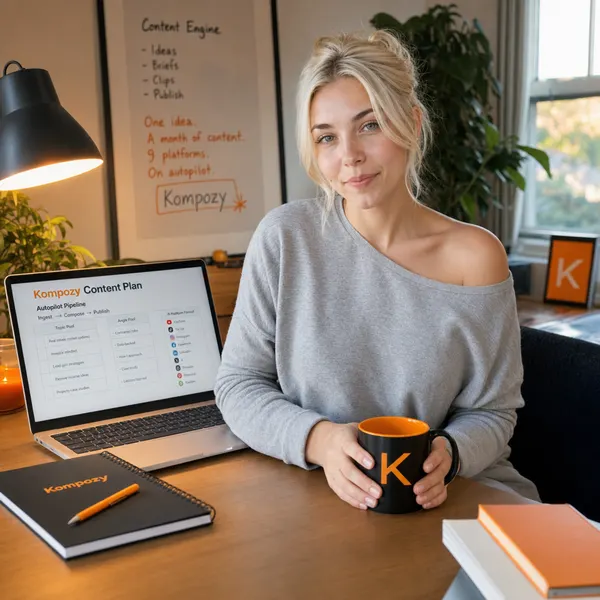
A real persona photo made in the Kompozy workspace. It shows the face-locked format we suggest when the same person needs to appear across a whole series.
Who is this for, and who should skip it?
Best for:
- Creators who need strong single images, product shots, or flyers fast
- Developers generating images at volume through the Flare API
- Marketers editing a photo over several turns without losing the original
Not ideal for:
- Keeping one persona's face identical across weeks of posts
- Anyone who needs captions, carousels, and scheduling handled
- Heavy free-plan use. Free has limited image creation
Frequently asked questions
What is ChatGPT Images 2.5?
It is OpenAI's new image-generation and editing model, announced September 8, 2026. It generates up to 50% faster than Images 2.0 with more natural lighting and better subject preservation, edits reliably across a multi-turn chat, and adds Sketch (draw a reference) and Templates (starting points for flyers, posters, product photos). Developers use two API models, Flare and Sunburst.
What is the difference between GPT-Image-2.5 Flare and Sunburst?
Flare is the fast default for most uses — creator and social content, product imagery, prototyping, and high-volume generation. Sunburst is built for premium workflows needing tighter control across edits, like campaign creative and polished product shots, and takes longer to generate.
How do I use ChatGPT Images 2.5 for social media content?
Generate the image in ChatGPT, then use a content engine to turn it into posts. On its own the model makes one image and stops. In Kompozy you fan that image into a branded carousel, quote graphic, and Photo Posts, add per-platform captions in your voice, and schedule them across nine platforms — the steps the model does not do.
Can ChatGPT Images 2.5 keep the same face across many images?
It preserves a subject well within a single conversation, but it does not lock one persona identity to reuse identically across weeks of content. For a face that stays consistent on every post over time, a persona system like Kompozy's face-locked Persona Photos is the better fit.
Is ChatGPT Images 2.5 free?
It's available on every ChatGPT tier, Free included. OpenAI's pricing page lists limited image creation on Free, more on Go and Plus, and unlimited, faster image creation on Pro. Check current limits and API pricing on OpenAI's pricing pages.
How do we know this?
We checked every figure, date, and price on this page against the sources listed below on 2026-10-23, including OpenAI's Images 2.5 announcement and the ChatGPT pricing page as rendered in a browser. Kompozy plan, format, and platform details come from kompozy.io and kompozy.io/pricing.
Sources
- OpenAI — Introducing ChatGPT Images 2.5 (read 2026-10-23)
- OpenAI — ChatGPT plans and pricing (read 2026-10-23)
- Kompozy — Home (platforms, formats, Persona Brief, autopilot) (read 2026-10-23)
- Kompozy — Pricing (plans, credits, 9 platforms, output formats) (read 2026-10-23)
Related tools
- ChatGPT Video Generation — The honest state of making video with ChatGPT in 2026: it writes scripts, shot lists, and render prompts and generates stills — but it renders no video, and OpenAI's Sora video model is being shut down.
- Google Pics — Google's prompt-first AI image generator and editor inside Google Workspace — describe a design in words instead of building it from a template, powered by the Nano Banana model.
- Photoshop AI Assistant — A conversational AI assistant built into Photoshop that edits images from plain-language requests.
- XImagineAI — A browser-based AI studio that fronts several image and video models — Grok Imagine, Kling, Seedance, and others — behind one interface and one credit balance, pitched as a Grok Imagine alternative with no X Premium needed.
- ChatGPT Sketch — OpenAI's draw-to-image feature — sketch a rough guide in ChatGPT with @Sketch and the model renders it into a detailed, composition-controlled image.
- Google Mixboard — A prompt-driven, Pinterest-style AI concepting board from Google Labs, powered by the Nano Banana image model — being retired on September 28, 2026.