The honest Gemini app for Windows alternative (2026) for creators who need published posts — not a desktop chat window
The Gemini app for Windows is a brilliant desktop AI assistant. Kompozy turns its drafts into on-brand posts published across platforms. Honest 2026 take.
Published 2026-09-11 · Updated
Short answer
The Gemini app for Windows is Google's free desktop assistant, launched September 10, 2026 for Windows 10 and 11. Press Alt + Space and Gemini opens over your work to draft, pull from Gmail and Drive, or make images and video. It doesn't caption, schedule or publish posts. It's great for desktop help. For finished, published content, Kompozy Starter is $199/mo for 4 platforms, and Pro ($499/mo) covers 9.
Key takeaways
- Google launched the Gemini app for Windows on September 10, 2026. It is free and runs on Windows 10 and 11.
- Alt + Space opens Gemini over any window; it also makes Nano Banana images and Gemini Omni video.
- Omni video and the Spark agent need a paid Google AI plan: AI Pro is $19.99/mo, Ultra from $99.99/mo.
- The app doesn't caption, size per platform, schedule or publish anything.
- Kompozy turns one idea into 25-35 outputs, from $199/mo on Starter (4 platforms). Pro ($499/mo) publishes to 9.
If you installed the Gemini app for Windows hoping for a desktop content cockpit and searched for an alternative, the problem is probably not the app — it is the category. Google shipped it on September 10, 2026 as a fast, lightweight desktop assistant: press Alt + Space and Gemini opens over your work. That is a great thing to have. It is just not a content operation, and you found that out the moment you tried to get a finished, captioned, scheduled post out of it.
I run Kompozy, and the honest framing is that the Gemini app for Windows and Kompozy are different kinds of product. The Windows app is an assistant with a hotkey — it answers, drafts, researches, and generates an image or a clip over whatever you are doing. Kompozy is a content generation and multi-platform publishing engine: one source in, a week of finished, on-brand posts out, scheduled and published across platforms. One lives on your desktop to help you think; the other is where content actually ships.
So the real question is not "which is better." They barely compete for the same job. The question is what your bottleneck is. If it is having quick AI help on your desktop while you work, the Gemini app for Windows is the pick and Kompozy is not trying to replace it. If it is turning ideas into brand-exact posts published everywhere on a schedule, a desktop chat window is the wrong shape — and you will end up bolting a designer, a video tool, a caption burner, and a scheduler onto it.
Everything below is grounded in the Windows app's real state as of 2026-09-11. Google's plan prices and feature gating shift often, so treat the pricing rows as a snapshot to reconcile against Google's live page before you buy.
What is the Gemini app for Windows?
The Gemini app for Windows is Google's native desktop client for its Gemini assistant, free to download at gemini.google/desktop for Windows 10 and 11. The signature interaction is a global Alt + Space shortcut that opens Gemini on top of your active window, and a dedicated workspace for everything else you use Gemini for. It bundles Nano Banana image generation and Gemini Omni video on the desktop, and pulls from Google apps like Gmail and Google Drive so it can draft from your own material. It can also hand multi-step tasks to Gemini Spark, Google's personal AI agent; Spark and Omni video need a paid Google AI subscription. Google calls it lightweight and quiet, built to run without slowing your PC. That is a deep, genuinely useful desktop assistant — and it is an assistant, not a content pipeline. There is no caption burner, no per-platform reframing, no multi-platform scheduler, no brand-exact carousel or template renderer, no talking-head avatar video, and no way to fan one idea into a coordinated week of posts. It generates a draft, an image, or a clip on your PC; turning that into finished, published content across platforms is not something the app does.
Why do creators look for a Gemini app for Windows alternative?
The reasons to look past the Gemini app for Windows for content work are about scope, not quality. It is a single-output surface: you summon it, it answers one thing. It has no publishing layer at all — it cannot caption a clip, size it for six platforms, schedule it, or post it. It has no persistent brand-voice governance across a body of work; you can instruct a tone or save a Gem, but nothing enforces banned phrases, audience, and voice across every asset automatically. And it produces one format at a time — an image, a clip, a draft — rather than the coordinated set (short video, carousel, quote cards, blog, newsletter) a real content week needs. The richer end of its generation, including higher-tier Gemini Omni video, also sits behind a paid Google AI plan. None of that is a knock on the app. It is a desktop assistant that happens to be very good, and it was never built to be a distribution engine. The gap only shows up when you try to make it one — at which point you are assembling a tool stack around it. That whole stack is what people are actually shopping for when they search for an alternative, and it is what Kompozy consolidates into one bill and one queue.
How does the Gemini app for Windows compare with Kompozy feature by feature?
| Feature | Gemini App for Windows | Kompozy | Note |
|---|---|---|---|
| Desktop AI assistant with hotkey | Yes — the core strength | No | Alt+Space over your work is the app's best feature. Kompozy is a generation-and-publishing engine, not a desktop overlay. |
| Image generation | Yes (Nano Banana) | Yes | Both generate images. Kompozy also lays them into brand-exact carousels, quote cards, and per-platform sizes. |
| Video generation | Partial (Gemini Omni, paid) | Yes | The app makes raw clips; Kompozy produces persona video, Clipped Shorts, and captioned vertical cuts ready to post. |
| Draft from your Gmail / Drive | Yes | No | Pulling from connected Google apps is a real productivity feature; Kompozy consumes a source and produces publishable content. |
| Auto-captions / burned-in subtitles | No | Yes | Kompozy burns branded captions into video; the Windows app outputs raw text, images, or clips. |
| Talking-head / avatar video | No | Yes | Kompozy ships HeyGen persona video, Persona Frames, and Persona Shorts. The app does not generate avatars. |
| Short-form clipping from long video | No | Yes | Kompozy picks moments and cuts vertical Clipped Shorts. The app cannot ingest and clip long-form video. |
| Brand-exact carousels / templates | No | Yes | Kompozy renders pixel-exact carousels and graphics via HyperFrames. The app has no template engine. |
| Blog + newsletter generation | Partial | Yes | The app can draft prose; Kompozy produces publish-ready blog articles and email newsletters and ships them. |
| Brand voice / Persona governance | Partial | Yes | You can instruct a tone or save a Gem, but Kompozy enforces voice, banned phrases, and audience across every asset. |
| Multi-platform scheduling + publishing | No | Yes | Kompozy fans to the eight social platforms plus blog and email from one queue. The app publishes nothing. |
| One source → many formats (fan-out) | No | Yes | Kompozy turns one idea into 25–35 outputs across five buckets. The app answers one request at a time. |
How much does the Gemini app for Windows cost compared with Kompozy?
| Tier | Gemini App for Windows plan | Gemini App for Windows price | Kompozy plan | Kompozy price |
|---|---|---|---|---|
| Entry | Gemini app for Windows (free) | Free | Kompozy Starter | $199/mo (5,500 credits) |
| Mid | Google AI Pro | $19.99/mo | Kompozy Pro | $499/mo (18,000 credits) |
| Top | Google AI Ultra | From $99.99/mo | Kompozy Enterprise | Contact Sales |
What does the Gemini app for Windows do well?
- Alt+Space puts a genuinely capable AI assistant over any window — help in the flow of work with no tab-switching.
- Lightweight and quiet; Google built it to run without slowing your PC.
- Nano Banana image generation and Gemini Omni video are built into the desktop surface.
- Pulls from Google apps like Gmail and Google Drive to draft from your own material.
- Free base app and chat, with paid Google AI plans if you need higher-end features.
- Backed by Google's Gemini models, so the underlying assistant quality is top-tier.
- Available globally on Windows 10 and 11.
Where does the Gemini app for Windows fall short for content?
- No publishing at all: no captions, per-platform sizing, scheduling, or posting.
- Single-output surface — it answers one request at a time, not a coordinated week of content.
- No brand-exact template engine for carousels, quote cards, or on-brand graphics.
- No talking-head or avatar video, and no way to ingest and clip long-form video.
- Richer Gemini Omni video generation requires a paid Google AI subscription.
- Turning its generations into finished posts means bolting on a designer, a video tool, a caption tool, and a scheduler.
- Feature gating is still shifting as Google rolls out more native desktop capabilities over time.
When should you pick the Gemini app for Windows?
- You want quick AI help on your desktop while you work. The Alt+Space overlay is exactly that, and it does it better than any content engine — Kompozy is not trying to replace it here.
- You draft inside Windows apps all day. Summoning Gemini over your active window without a tab-switch is a real workflow win for in-the-flow drafting and rewriting.
- You need quick one-off images or summaries from your own Google data. Nano Banana image generation and pulling from Gmail and Drive produce a usable single output fast, right on the desktop.
- You live inside Google's ecosystem. The app's ties into Gmail and Google Drive make it the natural desktop assistant if that is where your work already happens.
When should you pick Kompozy instead of the Gemini app for Windows?
- Your bottleneck is finished, published content, not a desktop draft. Kompozy captions, reframes, schedules, and publishes across nine platforms — the entire job the Windows app leaves to you.
- You want one idea turned into 25–35 outputs across five buckets. Kompozy fans a single source into video, image, text, blog, and newsletter. The app answers one prompt at a time.
- You need avatar video, clipped shorts, or brand-exact carousels. Kompozy ships Persona Shorts, HeyGen avatar video, Clipped Shorts, and HyperFrames carousels — formats the app does not produce.
- You enforce brand voice across a team or multiple brands. The Persona Brief governs tone, banned phrases, and audience per workspace so a week of content stays on-brand automatically.
- You want one bill and one queue instead of a desktop assistant plus four tools. Kompozy replaces the assistant-plus-designer-plus-video-plus-caption-plus-scheduler stack with a single credit line and one publish pipeline.
Why do we recommend Kompozy alongside the Gemini app for Windows?
Here is the honest pitch. The Gemini app for Windows is a superb desktop assistant — Alt+Space puts real AI over your work, and if you want fast help while you think, it is a great answer. But an assistant with a hotkey is not a content operation. A caption in a chat window and a clip in a downloads folder are not posts; they are raw material. If you run your content off the Windows app alone, you are still shopping for a designer, a video finisher, a caption burner, and a scheduler — because the app does none of that.
Kompozy is the engine that closes the gap. Summon Gemini on your desktop if that is where you draft, then bring the idea into Kompozy: one source becomes an avatar Persona Short, brand-exact carousels and quote graphics through HyperFrames, native text posts, a blog article, and an email newsletter — all held to your voice by a Persona Brief, then scheduled and published across the eight social platforms plus blog and email from one queue, behind a per-post review gate.
Use both if you like — think at your desk in Gemini, ship in Kompozy. Start on Kompozy Starter at $199/mo (5,500 credits) and watch how much of the tool stack around your desktop assistant collapses into one bill. The Windows app is where the idea starts; Kompozy is where it gets published.
What does this look like in Kompozy?
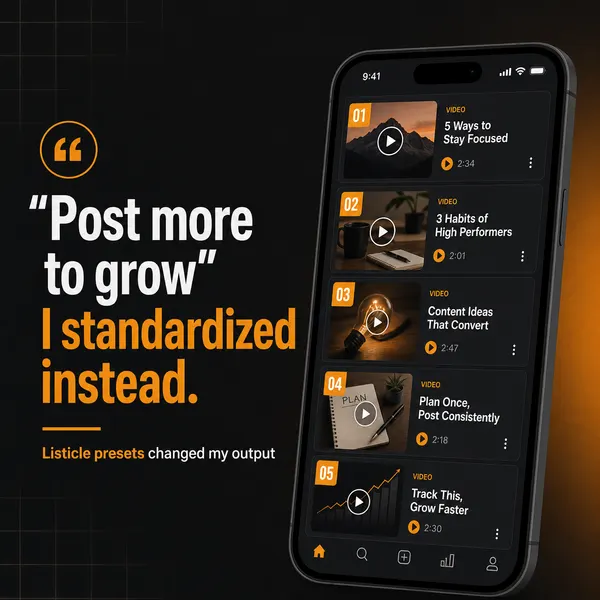
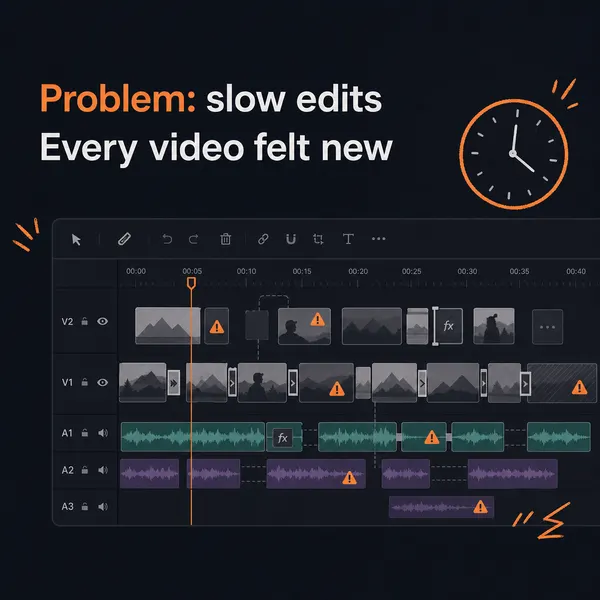
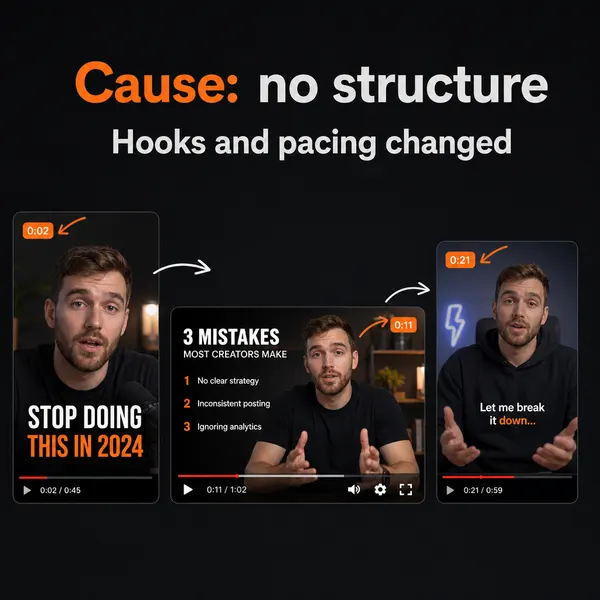
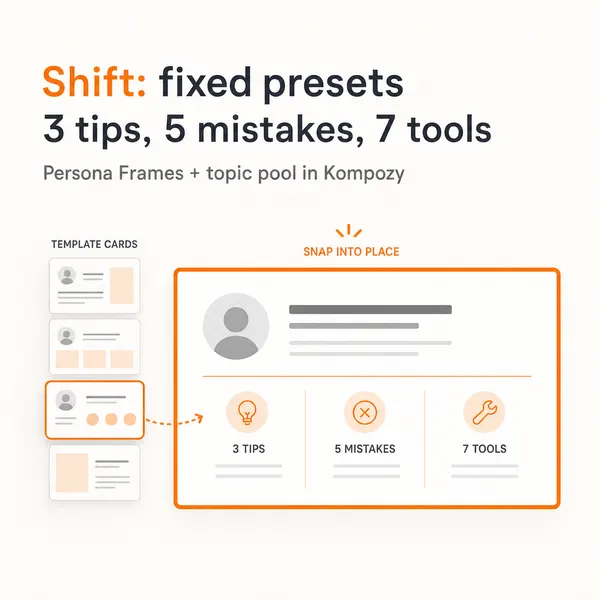
A five-slide carousel generated in the Kompozy workspace. It is one of the brand-template formats the Gemini desktop app does not produce.
Who is this for, and who should skip it?
Best for:
- Creators whose bottleneck is finished, published posts rather than a desktop draft
- Teams that need avatar video, clipped shorts and brand-exact carousels
- Brands that enforce one voice across a team or several brands
Not ideal for:
- Anyone who mainly wants quick AI help over their desktop while they work (the Gemini app wins)
- People who draft inside Windows apps all day and want a hotkey assistant
- Users deep in Gmail and Google Drive who want one-off summaries or images
Frequently asked questions
Is Kompozy a replacement for the Gemini app for Windows?
Not really — they solve different jobs. The Windows app is a desktop AI assistant summoned with Alt + Space for chatting, drafting, and quick generation. Kompozy is a content generation and multi-platform publishing engine that turns ideas into finished, on-brand posts across video, image, text, blog, and newsletter formats and publishes them to nine platforms. Many creators draft in Gemini and ship in Kompozy.
Can the Gemini app for Windows post to TikTok, Reels, or LinkedIn?
No. It drafts text and generates images and video on your PC, but it has no captioning, per-platform sizing, scheduling, or posting. You bring its output into a tool like Kompozy to caption, size, schedule, and publish across platforms.
How much does the Gemini app for Windows cost versus Kompozy?
The Windows app is free to download, with a free base chat; richer Gemini Omni video generation needs a paid Google AI plan (Google AI Plus $4.99/month, AI Pro $19.99/month, AI Ultra from $99.99/month). Kompozy is monthly credits — Starter at $199/mo (5,500 credits) and Pro at $499/mo (18,000 credits) — covering generation across formats plus publishing. They price different jobs, so compare on outcome, not sticker.
What can Kompozy make that the Gemini app for Windows cannot?
Avatar and persona talking-head video, Clipped Shorts from long-form, brand-exact carousels and quote graphics, publish-ready blog articles and email newsletters — plus burned-in captions, per-platform reframing, brand-voice governance, and scheduled multi-platform publishing. The Windows app stops at a single desktop draft, image, or clip.
Should I use the Gemini app for Windows and Kompozy together?
That is the most common setup. Use the Windows app for what it is great at — quick desktop help, brainstorming, and drafting — then move the idea into Kompozy, which generates the finished formats in your brand voice and publishes them across platforms. The assistant sparks the idea; the engine ships it.
How do we know this?
On 2026-10-23 we checked every Gemini app claim on this page against Google's September 10 Windows launch post and the Google AI subscriptions page. We removed details the launch post doesn't state. Kompozy plan details come from kompozy.io/pricing.
Sources
- Google — The Gemini app is now available for Windows (2026-09-10) (read 2026-10-23)
- Google Gemini — Subscriptions (Google AI plans) (read 2026-10-23)
- Kompozy — Pricing (read 2026-10-23)
- Kompozy — Home (read 2026-10-23)
- AI Content Repurposing — The complete methodology for turning one source into 25-35 pieces of native-format content across every platform — without producing AI slop.
- Autonomous Content Creation — Most "autonomous" AI content is slop.
- AI Brand Voice & Persona — Without a Persona Brief, every AI output averages to the LLM default voice.