How to promote a podcast on Threads (2026)
Promote a podcast on Threads: set up your profile card, post episode links as tappable cards, add transcripts, tag guests, and use drop reminders.
Last verified · 2026-10-23 · by Moe Ameen
Published 2026-09-17 · Updated
Short answer
To promote a podcast on Threads, set up your show's profile banner, share each episode as a tappable link card, and post transcript, video and guest cards for the best moments. Meta added these tools on September 16, 2026, along with new-episode reminders and Podcast Insights. Threads promotes the episode while the audio stays with your podcast host, so a standalone hook has to lead every post.
Key takeaways
- Meta launched the Threads podcast tools on September 16, 2026.
- Set up the profile banner first. It's where discovered listeners land.
- Lead with a hook that works alone, and let the episode card do the follow-through.
- Tag guests on a flattering highlight so they want to reshare it.
- Podcast Insights show reach and engagement, including clicks and saves.
On September 16, 2026, Threads shipped a set of podcast-promotion tools — profile banners for your show, tappable episode-link cards, transcript and guest card posts, reminders to share each new episode, and Podcast Insights. The catch that decides everything: Threads still does not host the audio. Your episode lives on your existing podcast host, and these tools are the promotion layer around it, so reach comes from what you post, not from pasting an RSS link.
This guide is the concrete setup and per-episode routine for using those features to actually pull listeners. It walks the one-time profile setup, then the repeatable rhythm around each episode: posting the episode as a tappable card, dropping a transcript segment, tagging your guest for borrowed reach, timing posts to the drop reminder, and reading the insights to decide what to make next. Do it by hand for one episode to learn the shape; the last section is about running it for every episode without it eating your week.
What should you set up first to promote a podcast on Threads?
- Set up your podcast profile card and banner first. Before you promote a single episode, configure the show's profile card and banner in Threads. This is the one part of the system that works without daily posting — it marks your profile as the show's home, so anyone who arrives from a clip or a tagged guest instantly sees what the podcast is and can follow. Get the show name, the one-line description, and the artwork right; this is the conversion surface every other post points back to.
- Post the episode as a tappable link card, not a bare URL. When you share an episode link, Threads renders it as a tappable card, and you can post transcript, video and guest cards for standout moments. Use it — but treat the card as the jumping-off point, not the content. Lead the post with a standalone hook that delivers value on its own, then let the card be the "and here is where to hear the rest." A card under a weak post just sits there.
- Drop a transcript segment so the episode reads with the sound off. Post a transcript pull of the sharpest exchange or the most surprising two minutes — not the whole episode. A text-first, mostly-muted feed consumes reading, so a transcript segment lets someone get the substance without playing any audio. Keep it to the part that stands alone. This is also the raw material for your text posts and quote cards, so producing one per episode pays for itself several times.
- Tag your guest to borrow their audience. Tagging a featured guest surfaces a connected card and, more importantly, puts the episode in front of the guest's followers and gives them an easy native thing to reshare. Make the guest-tagged post genuinely flattering and self-contained — their best line, cleanly presented — so resharing costs them nothing and makes them look good. A guest reshare is the cheapest new-audience reach on the platform.
- Break the episode into several feed-native posts. One link is not a promotion plan. Turn each episode into a few short captioned clips of its best moments, a few standalone text posts lifted from the transcript, and one or two quote graphics. Space them across a week or two rather than dumping them on launch day — several separate clips over a week give you more chances to reach people than one long "highlights" upload nobody finishes. The clip-cutting mechanics are in the related repurposing guide.
- Prepare the posts before the drop reminder fires. Threads can nudge you to post when a new episode goes live, but a reminder only helps if you already have something to publish. Cut and queue the promo set in advance so the reminder becomes "publish the next piece," not "start making content." A prompt to promote an episode you have not touched just moves the work to a worse moment — the reminder is worth exactly as much as your preparation.
- Read the per-post insights and make more of what pulls non-followers. Podcast Insights show the reach and engagement Threads drives for your show, including clicks and saves. For growth, the question is how far each post travels beyond people who already follow you. Each week, note which clip style, hook, or transcript length reached beyond your existing audience, and make more of it. Treat the insights as a fast feedback loop for your Threads content, not as your show's scoreboard.
- Reuse the same posts across your other platforms. The pieces you cut for Threads are not Threads-only. A captioned vertical clip is native to Reels, TikTok, and Shorts; the text posts fit X and LinkedIn; the quote graphics work anywhere. Adapt lightly per platform and schedule the same episode everywhere, so one recording fills your whole distribution week instead of a single feed. Threads is one node in the network, not the whole plan.
What mistakes waste a podcast's reach on Threads?
- Pasting only the episode link. Threads does not host the audio, so a bare link asks the reader to leave and commit before they have any reason to. Lead with a standalone clip or text post and let the episode card be the follow-through.
- Skipping the profile card setup. It is the home a discovered listener lands on. If it is blank or vague, the follow you just earned from a good clip evaporates.
- Waiting for the drop reminder to start producing. The reminder is only useful if the promo set is already cut and queued. Prepare first; let the reminder trigger publishing, not production.
- Posting the full transcript. A forty-minute wall of text is not a feed post. Pull the segment that stands alone — the sharp exchange or the surprising claim.
- Making a bland guest-tag post. The tag only pays off if the guest wants to reshare it. Present their best moment cleanly so resharing is flattering and effortless.
- Optimizing purely for Threads saves and views. Those numbers describe one feed and do not roll up with downloads or your other platforms. Keep an eye on the whole funnel, not just the app that shows you a dashboard.
- Treating features as reach. Cards, transcripts, and reminders reward consistent posting; they generate nothing on their own. The work is the content, every episode.
How do you turn every podcast episode into a full Threads promotion set?
Look at the routine above and a pattern jumps out: every Threads slot needs a different asset. The episode-link card wants a captioned clip. The transcript post wants a clean pull. The guest tag wants a flattering highlight. The week wants text posts and quote cards. Doing that mapping by hand — for one episode, then the next, then the next — is the exact throughput wall where podcasters abandon the channel and fall back to pasting a link. Kompozy exists to collapse that wall, and it is a different category of tool than a single-clip cutter: a full content generation and multi-platform publishing engine that produces the matched asset for each slot in one pass.
Concretely, point it at the episode and it fills the routine: Clipped Shorts with synced burned-in captions for the episode-link card and your feeds, a guest-highlight image for the tagged-guest post, Quote Graphics and brand-exact Carousel Posts of the sharpest lines, and Text Posts drawn straight from the transcript — all held to one written Persona Brief so the guest post, the transcript pull, and the episode-card caption all sound like your show, not generic filler. Two steps above are where it earns its keep: the captioning happens automatically, so every clip reads muted without you proofreading nine by hand, and the whole set arrives already on-voice.
Then it handles the timing problem. Autopilot spaces and schedules the set across the nine social platforms plus blog and email from one queue, behind a per-post review gate — so when Threads' drop reminder fires, the promo posts are already made and queued instead of waiting to be cut, and the same episode is simultaneously live everywhere else you publish. The honest boundary: Kompozy does not pick which moments in your episode are worth clipping, and it does not supply the point of view that made the episode worth recording — that judgment stays yours. It removes the mechanical repetition of turning every episode into a complete, captioned, on-brand promotion set. Starter ($199/mo for 5,500 credits) fits a solo podcaster promoting one show; Pro ($499/mo for 18,000 credits) suits a network or agency running several shows across platforms; Enterprise is available through Contact Sales.
What does this look like in Kompozy?
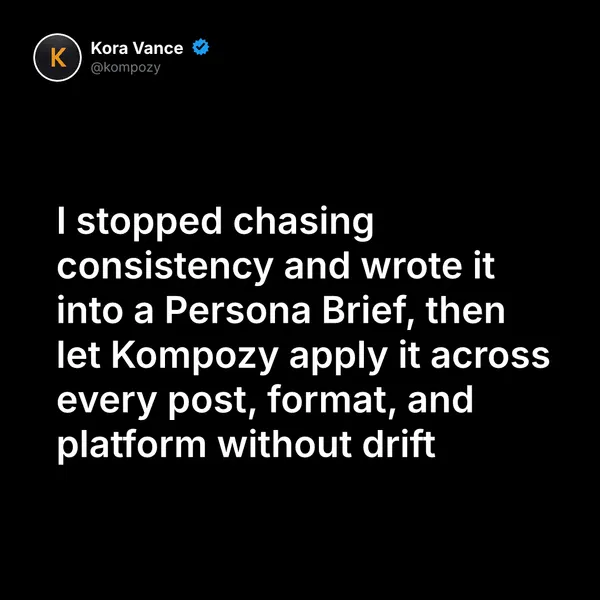
A real quote graphic made in the Kompozy workspace, shown as an example of the format. It was not made for this guide.
Who is this for, and who should skip it?
Best for:
- Podcasters with guests who can reshare tagged highlights.
- Shows that publish on a schedule and can prepare promo posts before each drop.
- Hosts who also post clips on Reels, TikTok, Shorts or LinkedIn.
Not ideal for:
- Anyone hoping to host audio on Threads. The episode stays with your podcast host.
- Podcasters who only want to paste a link. The tools reward real posts, not bare URLs.
- Shows that need someone to pick the best moments. Kompozy doesn't choose what to clip.
Frequently asked questions
Can you host a podcast on Threads now?
No. Threads added tools to promote and discuss podcasts — profile cards, episode-link cards, transcripts, guest tags, drop reminders, and insights — but it does not host or stream the audio. The episode itself stays on your existing podcast host, and Threads is the promotion and conversation layer around it. That is why the whole channel runs on what you post.
What is the fastest way to promote an episode on Threads?
Post a standalone hook with the episode as a tappable link card, drop one transcript segment that stands alone, and tag your guest so they can reshare. Then, over the following week, publish a few captioned clips and a couple of text posts pulled from the episode. Lead every post with in-feed value; never rely on the link alone.
How many posts should one episode become on Threads?
Roughly a week or two of content: a few short captioned clips, a few standalone text posts, a quote graphic or two, at least one guest-tagged highlight, and the episode-link card. Push past that and derivatives start repeating themselves. The goal is the genuinely distinct moments in the episode, not a fixed quota.
Do I need to use every new Threads podcast feature?
No, but the profile card, the episode-link card, and consistent clip and text posts are the core. Guest tags matter when you have a guest, transcripts help legibility on a muted feed, and the insights guide what to make next. Meta says more tools are coming, so check current specifics in the app rather than assuming a fixed behavior.
How do we know this?
On 2026-10-23 we checked the Threads podcast feature list and launch date against the sources listed below. Kompozy plan details come from kompozy.io/pricing.
Sources
- Meta Newsroom: Threads expands podcast toolkit for creators and listeners (read 2026-10-23)
- Kompozy: Pricing (read 2026-10-23)