How to run an Instagram creator collaboration (Collab posts, brand deals, and disclosure, 2026)
Run an Instagram creator collaboration end to end: pitch a partner, agree terms, co-create, set up the Collab post, disclose paid deals, and extend the reach.
Last verified · 2026-10-23 · by Moe Ameen
Published 2026-09-17 · Updated
Short answer
To run an Instagram creator collaboration, pitch one specific idea to a partner whose audience overlaps yours, agree the deliverable and terms in writing, and publish it as a Collab post. Create the post, tap Tag people, then Invite collaborator. Instagram lets you add up to 5 collaborators, and each must accept before the post reaches their followers. Disclose any paid deal and turn the one post into two weeks of content.
Key takeaways
- Pick a partner whose audience overlaps yours but whose content doesn't copy it.
- Pitch one concrete idea with the benefit for both audiences spelled out.
- Instagram allows up to 5 collaborators. Each one must accept the invite.
- Stories don't support collaborators. Use feed posts, carousels or Reels.
- Disclose any exchange of value. The FTC says don't rely on a platform's label alone.
A creator collaboration is the rare Instagram reach play that costs nothing but borrows a partner's whole audience — the post lands in front of people who already follow someone they trust, arriving with that person's implicit endorsement. But most collaborations underdeliver for a boring reason: they are run as a single launch-day post instead of a coordinated campaign, and the setup details (who tags whom, when to disclose, which format supports adding a collaborator after posting) get fumbled in the moment.
This walks the whole thing in order — from finding and pitching the right partner, through agreeing terms and deciding the mechanic, to actually creating the content, setting up the native Collab post, handling disclosure on any paid deal, publishing so both audiences see it, and extending the one post into two weeks of content for both parties.
It is written for the common cases: a peer-to-peer creator collab with no money, and a paid brand partnership. For the strategy view of why each collaboration type works and when to use it, see Instagram creator collaborations: the 2026 playbook.
How do you find the right partner for an Instagram creator collaboration?
- Find a partner whose audience overlaps but does not compete. The best collaborator is one audience-size tier around yours whose followers overlap with the people you want but whose content does not directly duplicate yours — enough overlap that their audience is relevant, enough difference that the pairing feels additive, not redundant. Start with your warmest list: people who already comment on your posts, past guests, creators you have shouted out. For paid brand deals, brands and creators can also discover and message each other through Instagram's creator marketplace. Follower count matters far less than fit.
- Pitch a specific, mutual idea — not "want to collab?". A vague 'collab?' gets ignored because it makes the other person do the work of inventing the collaboration. Pitch one concrete idea, name the format (a joint Reel, an interview, a co-created carousel), and make the mutual benefit obvious — what their audience gets, what yours gets. Keep it short and specific enough that the reply is 'yes, but let's swap the topic' rather than 'what did you have in mind?'. The quality of the pitch is the single biggest predictor of whether a collaboration happens at all.
- Agree the deliverable, the timeline, and (if paid) the terms. Before anyone creates anything, settle: what exactly is being made, who produces which part, the publish date, and — for a paid deal — the compensation, the usage rights (can the brand boost it as an ad?), and whether it publishes as a Collab post on both grids. Write it down, even informally. Most collaborations die in the middle, not the start, when one side goes quiet or the expectations turn out to have been different. A one-paragraph agreement prevents the most common failure.
- Decide the mechanic: Collab post, tag, or takeover. Match the format to the goal. Use a native Collab post when both parties are genuinely putting the content in front of their people — it publishes to every collaborator's grid and pools all the engagement. Use a plain tag or mention for a light shout-out that stays on your grid only. Use a Story takeover or joint giveaway for a fast, low-effort audience swap. The Collab post is the only one that changes distribution, so reach for it when reach is the point.
- Create the content to a shared, on-brand standard. A Collab post lives permanently on every collaborator's profile, so the bar is higher than a normal post — a weak one is a lasting cost on both grids. Agree the look up front so the two brands read as intentional together rather than clashing, especially on a co-created carousel where each creator contributes slides. Produce your half to a finished standard and hand it over ready, not as raw material the other person has to fix. Films clean, captioned, and in the right aspect ratio for the format.
- Set up the Collab post: create, then invite collaborators. One person creates the post as normal (feed photo, carousel, or Reel — Stories do not support Collab). On the tag/share screen, choose 'Tag people' and then 'Invite collaborator', search each partner's handle, and add them. Each invitee gets a request and must accept before the post appears on their grid with all handles shown at the top. Instagram's Help Center says you can add up to 5 collaborators, and the original author can add or remove a collaborator at any time.
- Disclose any paid partnership before you publish. If there is any exchange of value behind the content — money, free or loaned product, affiliate commission — turn on Instagram's Paid Partnership label: add the brand partner so the post is labeled as a paid partnership, and write a plain disclosure in the caption too. A genuine creator-to-creator collab with no payment does not need the branded-content label, but the moment consideration enters, disclosure is mandatory under both Instagram's policy and, in the US, the FTC. When unsure, disclose — the label costs nothing.
- Publish, and make sure both sides actively promote it. The Collab post's reach depends on both accounts pushing it, not just co-owning it. Coordinate so both parties post supporting Stories pointing to it, reply to early comments, and cross-post to each other's audiences where it fits. A Collab post that one side quietly lets sit reaches a fraction of what it could. Treat launch as a two-account event, not a single upload.
- Extend the one post into a two-week campaign. Do not stop at launch day. The same session is a source: cut the best moments into standalone clips, recap the key points as carousels, pull the sharpest lines into quote graphics and text posts, and turn an interview into a blog post or newsletter — a couple of weeks of content for both parties. Space the derivatives out and let both creators cross-post them to their other platforms. This is where a collaboration goes from a one-day spike to a compounding campaign; batch the derivatives in one pass.
- Measure it against reach and follows, not just likes. Collaborators who accept can see every like and comment on the post. Read the numbers that reflect the goal: reach and non-follower reach (did you actually get in front of the partner's audience?), profile visits and new follows (did any of them stick?), and saves and shares (did it earn distribution?). Pooled likes look impressive but the collaboration only paid off if new-to-you people found you and some followed. Log what worked so the next collaboration with that partner — or that format — starts from evidence.
What mistakes ruin an Instagram creator collaboration?
- Chasing follower count over audience fit. A large but irrelevant partner gives you a reach number and no new followers; overlap and relevance matter far more than their total.
- Pitching a vague 'collab?'. It makes the other person invent the collaboration, so it gets ignored. Pitch one specific idea with the mutual benefit spelled out.
- Publishing a weak co-authored post. A Collab post lives permanently on every collaborator's grid, so a mediocre one is a lasting cost on both accounts, not a throwaway.
- Forgetting the collaborator must accept. The post does not appear on a partner's grid until they approve the invite — chase the acceptance, or your 'Collab post' is just a normal post on your grid.
- Trying to Collab a Story. Collab posts work for feed photos, carousels, and Reels only. Use a takeover or a tagged mention for Stories.
- Skipping the Paid Partnership label on a deal with product-only compensation. Free or loaned product still counts as an exchange of value and still requires disclosure.
- Treating launch day as the finish line. One post captures a fraction of a collaboration's value; the campaign of derivatives across both audiences is where the reach actually compounds.
Any collaboration involving an exchange of value — money, free or loaned product, affiliate commission, or other consideration — must be disclosed. Use Instagram's Paid Partnership label. In the US, the FTC separately requires clear disclosure of material connections, and it says not to assume a platform's disclosure tool is enough on its own, so pair the label with a plain disclosure in the caption. Undisclosed paid content risks platform enforcement and advertising-law exposure. Joint giveaways carry their own platform and regional promotion rules — review them before running one. Usage rights (whether a brand may boost co-created content as a partnership ad) should be agreed in writing before publishing.
How do you produce your half of a collaboration and the follow-up content?
The step that quietly decides whether a collaboration happens is step 5 — showing up with your half finished and on-brand — and the step that decides whether it pays off is step 9, turning one post into a fortnight of content for both partners. Both are production problems, and both are where a collaboration stalls: you agree the idea, then someone has to actually make the assets, twice, and keep two brand looks consistent. That is the exact job Kompozy is built for, and it changes what you can say yes to.
Kompozy is a full AI content generation and multi-platform publishing engine, not a repurposing tool, and here it does three concrete things a single-clip editor cannot. First, it lets you arrive prepared: point it at your topic and it generates a ready-to-hand collaboration pack — a co-created Carousel where your slides are already designed, Quote Graphics, and Photo Posts — so your 'produce your half' step is a review, not a scramble, and the partner gets finished work instead of raw material. Second, it holds two identities clean: HyperFrames renders every carousel and quote card pixel-exact to a brand's styling, so a co-authored post can carry both looks intentionally rather than clashing, and a written Persona Brief keeps your voice steady across everything you hand over. Third, it makes step 9 automatic: feed it the collaboration recording and it produces the whole derivative campaign — Clipped Shorts of the best moments, recap carousels, text posts, a blog write-up of the interview, a recap newsletter — then Autopilot schedules the lot across nine social platforms plus blog and email from one queue behind a per-post review gate, so the single Collab post you publish on Instagram is simultaneously seeding every other feed both of you distribute to.
Be exact on the boundary: Kompozy produces and schedules the content; it does not send the pitch DM, negotiate the deal, or click the Paid Partnership toggle — you run the relationship and the disclosure, it runs the supply. Starter ($199/mo for 5,500 credits, 4 platforms) fits a solo creator producing a collaboration pack and its derivatives around one partner at a time; Pro ($499/mo for 18,000 credits, 9 platforms and full autopilot) sustains a creator or small team running multiple collaborations a month across every platform; Enterprise is available through Contact Sales for agencies coordinating collaborations across many brands.
What does this look like in Kompozy?
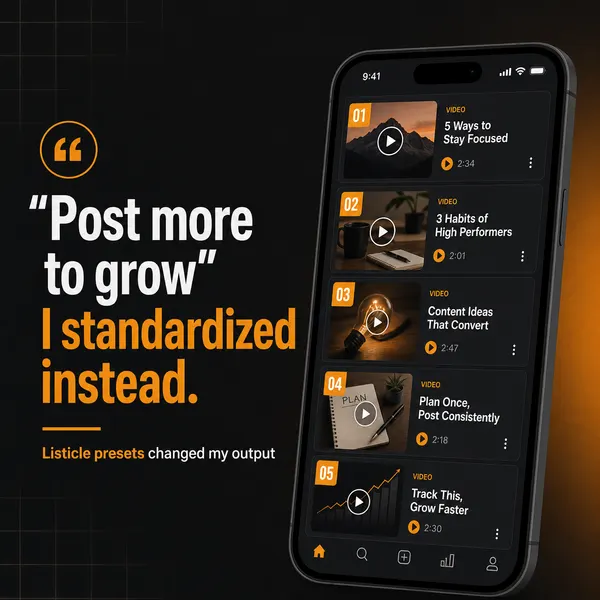
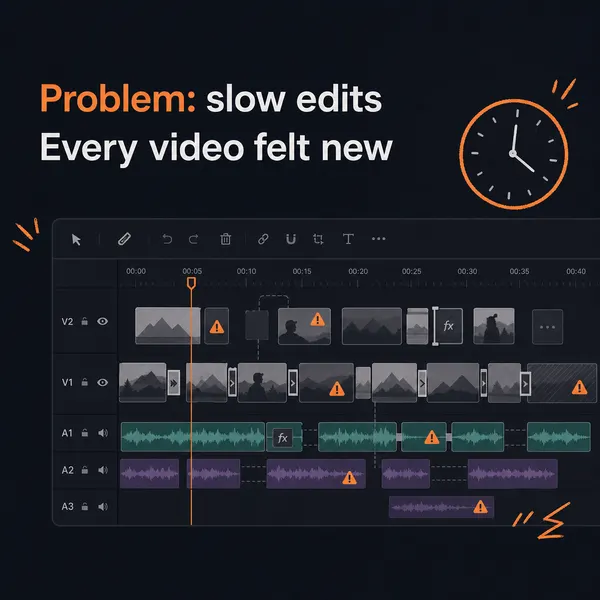
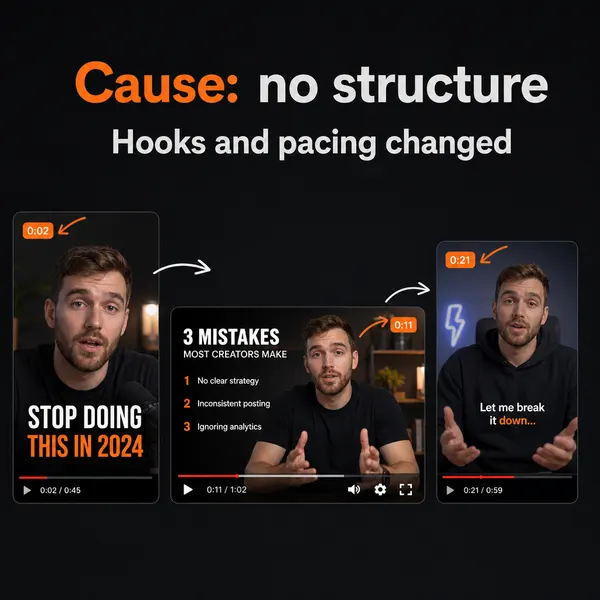
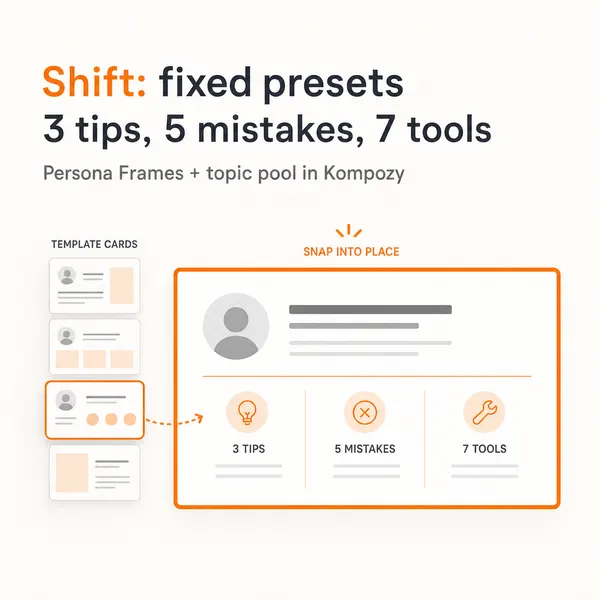
A real carousel made in the Kompozy workspace, shown as an example of the format. It was not made for this guide.
Who is this for, and who should skip it?
Best for:
- Creators with a peer of similar size whose audience overlaps theirs.
- Brands running paid partnerships that publish on both grids.
- Partners willing to promote the post together and spin it into follow-up content.
Not ideal for:
- Anyone who wants to add collaborators to Stories. Instagram doesn't support it.
- Deals where either side wants to skip disclosure.
- People who need the pitch, negotiation or disclosure handled. Kompozy only makes and schedules the content.
Frequently asked questions
How do I add a collaborator to an Instagram post?
Create the post as usual, and on the tag/share screen choose 'Tag people', then 'Invite collaborator'. Search the account's handle and add them — you can add several collaborators. Each person receives a request and must accept before the post shows up on their grid with all handles listed at the top. Instagram's Help Center says the original author can add or remove a collaborator at any time.
How many people can collaborate on one Instagram post?
Instagram's Help Center says you can add up to 5 collaborators to a post, so it can appear on as many as six profiles including yours. Public accounts can invite public or private accounts. Private accounts can only invite accounts that follow them.
Do both accounts get the engagement from a Collab post?
Yes — that is the point. A Collab post pools likes, comments, views, and saves into one shared post rather than splitting them, and collaborators who accept can see every like and comment. Because the post is shared with each collaborator's followers, one Collab post reaches the combined audiences at once.
When do I need the Paid Partnership label on a collaboration?
Whenever there is any exchange of value behind the content — cash, free or loaned product, affiliate commission, or other consideration. Turn on the Paid Partnership label and add the brand. The FTC also says not to rely on a platform's tool alone, so add a clear disclosure in your own words. A pure creator-to-creator Collab post with no payment does not need the branded-content label, though the Collab tag still credits both accounts.
What is the difference between tagging a creator and a Collab post?
A tag only notifies the other account and appears in their tagged tab; the post still lives on your grid alone and reaches your followers only. A Collab post publishes to every collaborator's grid as a first-class post and pools the engagement, so it is distributed to all the combined audiences at once. Use a tag for a light shout-out; use a Collab post when both parties are genuinely putting the content in front of their people.
How do we know this?
On 2026-10-23 we checked Instagram's collaborator rules and the FTC disclosure guidance against the sources listed below. Kompozy plan details come from kompozy.io/pricing.
Sources
- Instagram Help Center: Create collaborative posts on Instagram (read 2026-10-23)
- Instagram Help Center: About collab posts on Instagram (read 2026-10-23)
- FTC: Disclosures 101 for Social Media Influencers (read 2026-10-23)
- Kompozy: Pricing (read 2026-10-23)