How to automate your social media workflow (2026)
How to automate your social media workflow in 2026: wire generation, repurposing, approvals, and scheduling into one pipeline, and graduate each source safely.
Last verified · 2026-10-23 · by Moe Ameen
Published 2026-09-11 · Updated
Short answer
To automate your social media workflow, map every manual handoff between stages, then connect them: one reliable source triggers generation against a written voice spec, the output is restructured for each platform, the batch lands in an approval queue, and approved posts schedule and publish themselves. Keep the approval decision human, persist media at creation time, and move one source at a time from manual to hands-off.
Key takeaways
- The time sink is the handoffs between stages, not the stages.
- Write the voice spec before you automate generation.
- Automate around the approval gate, never through it.
- Save generated media to your own storage the moment it is created.
- Graduate one source at a time and keep a kill switch.
Automating a social media workflow is not the same as buying an AI tool. A tool speeds up one stage — it drafts a caption or cuts a clip and hands control straight back to you. Automating the workflow means connecting the stages so the handoffs between them stop being manual: a source triggers generation, the output fans into every platform's format, the batch routes to an approval queue, and approved posts schedule and publish themselves.
The time most content operations lose is not in any single stage; it is in the copy-paste, re-upload, and chasing between stages. That is what this tutorial removes.
The approach is deliberately incremental and safe. You will map your existing workflow and mark every manual handoff, then automate the stages in order — intake, generation, repurposing, approval routing, scheduling — while keeping the one handoff that must stay human: the approval decision. Then you graduate one source at a time up the automation ladder, from assisted to hands-off-with-a-gate, so you never flip an entire channel to autopilot and discover the drift after it has published. Whether you assemble this from separate tools or run it inside one engine, the sequence is the same. For the strategic picture behind it, see social media workflow automation; for the safety-and-compliance playbook, how to automate your social media in 2026.
How do you automate a social media workflow, step by step?
- Map your current workflow and mark every manual handoff. Before automating anything, write down the real route a post travels today: ideate, generate, repurpose per platform, review, approve, schedule, publish, monitor. Then mark each arrow where a human currently carries the work from one stage or tool to the next — exporting a draft, pasting into a design app, sending a batch for sign-off, re-uploading into a scheduler. Those marked handoffs are your automation targets. The stages are mostly fine; it is the seams between them that cost you the week, and you cannot automate a workflow you have not made visible first.
- Fix one reliable source as the trigger. A workflow needs raw material on a repeatable cadence, not a blank prompt box each morning. Choose one high-yield source to start — a weekly long-form video or podcast, a blog post, an RSS feed, or a sheet of topics — because a single substantial input can legitimately feed a week of derivatives. This source is the trigger that starts the pipeline: when it lands, generation begins. Start with one source and get it clean before adding others; the pipeline is only as reliable as what feeds it.
- Automate generation against a written voice spec. Wire the source into a generation step, but write the brand governance first: who you are, your recurring phrasing, your point of view, required structures, and a banned-words list of AI-tell phrases. Every generation call references this spec. Skip it and automated output drifts toward the model's generic default, which reads like everyone else's AI copy. With the spec in place, generation turns your source into the core asset (a script, a video, a blog draft) that everything downstream is derived from, so quality here compounds.
- Automate repurposing into platform-native formats. This is where one source fans out into a week of posts. Automate the transformation of the core asset into each platform's shape — vertical clips for TikTok, Reels, and Shorts; a carousel of the key points for Instagram and LinkedIn; a quote graphic; a text post for X and Threads; a blog cut-down; a newsletter section. The rule that keeps this from reading as lazy is: restructure for each surface, never push one identical file everywhere. The same voice spec governs every variant so they stay on-brand across all of them.
- Route the batch into an approval queue — automate around the gate, not through it. Do not connect source-to-published with nobody in the loop. Automate everything around the approval decision — collecting the generated batch, showing each pending item in one queue, tracking sign-off, pinging when something sits too long — but keep the decision itself human: you approve, edit, or kill each post, and only approved items advance. This single handoff is where a person confirms accuracy, brand fit, and any required AI disclosure before anything reaches an audience. It is the stage that turns automation from a compliance liability into an asset; remove it and you ship fast mistakes at scale.
- Automate scheduling and multi-platform publishing from the same place. Let approved posts flow straight to scheduling with no manual export or re-upload — that export-and-re-import step is the seam where content sits forgotten or ships with an expired media file. Schedule each variant into its platform at a sensible window and publish across all of them from one queue, staggered at each network's native pace rather than dumping the whole batch at once, which sets your own posts against each other. Persist any generated media to durable storage the moment it is created so a post scheduled for next week still has its image at publish time.
- Graduate one source up the automation ladder, keep a kill switch. Do not flip the whole channel to hands-off on day one. Run a new source fully manual through the approval queue for a proving period, editing aggressively and feeding every correction back into the voice spec. Once you are approving most of that source's output untouched, graduate it: let the handoffs run on their own with the approval gate as the only remaining stop. Add sources one at a time, and keep a kill switch to pause any source the platforms react badly to. The top rung still has a human gate — that is the ceiling, by design.
- Instrument the pipeline and feed results back. An automated workflow that never learns just automates your guesses faster. Watch two things. Operationally: publish failures, jobs stalled between stages, and any source whose approval rate is dropping — the earliest sign it has drifted off-brand and needs its spec retuned before it graduates further. On performance: which pillars, formats, and hooks earn attention on each platform, routed back into generation so next month's batch beats this one's. If engagement falls as output rises, check the voice spec first.
What mistakes break an automated social media workflow?
- Automating the stages but not the handoffs. If you buy a faster generator, a faster design tool, and a scheduler but still copy-paste between them, you have sped up the stages and left the actual time sink — the manual seams — untouched. The handoff is the unit to automate, not the stage.
- Wiring source-to-published with no review gate. Fast generation means fast publishing of a wrong stat, an off-brand line, or an undisclosed AI post. Automate around the approval decision; never automate through it.
- Flipping an entire channel to autopilot at once. Graduate one source at a time after a manual proving period, or the first voice drift or hallucination ships across every platform before you catch it. Keep a kill switch.
- Storing a provider's media URL instead of the bytes. Many image and video APIs return temporary links, and a post scheduled for next week can ship text-only or fail once the link dies. Persist media to your own storage at generation time.
- Cross-posting one identical file everywhere. Repurposing automation must restructure per surface; a raw identical repost reads as automated filler.
- Dumping the whole batch at once. Publishing everything at once sets your own posts against each other. Stagger at each platform's native cadence.
AI-content disclosure is now a legal requirement in some jurisdictions and a platform rule in others. The EU AI Act's transparency obligations for AI-generated content apply from 2 August 2026, requiring synthetic content to be machine-readably marked and, in defined cases, disclosed to viewers. Bake disclosure into the approval gate — decide your standard once and apply it to every applicable post — rather than trying to remember it per post. When automating at scale, treat the review step as where compliance is enforced.
Where does Kompozy fit in an automated social workflow?
The hard part of this tutorial is not any single stage — it is wiring the handoffs and then trusting them enough to climb the automation ladder. Kompozy is built so both are one thing. Because generation, repurposing, approval routing, and scheduling live inside one engine rather than a stitched stack, the seams you spent step one marking simply are not there: nothing exports from a generator into a design tool into a scheduler, so there is no copy-paste or re-upload handoff to automate away, because it never existed.
The part that matters most for actually going hands-off is how Kompozy treats the approval gate — as the stage you automate around, not through, exactly as step five prescribes. Every generated post lands in a per-post review state: the batch is collected for you, each pending item is shown in one queue, and nothing publishes until you approve, edit, or kill it. That is the human handoff kept human and everything around it automated, which is what makes graduation safe. You run a new source fully manual through that queue, feed corrections back into the Persona Brief — the one voice spec every generation call references — and once you are approving its output untouched, you let autopilot carry the source-to-scheduled handoffs on their own with the review gate as the only remaining stop. The ladder in step seven is the actual operating model, not a metaphor.
Underneath, the two things that break do-it-yourself pipelines are handled: repurposing is real generation across 20 output formats — Persona Shorts and avatar video, Clipped Shorts from long-form, carousels and quote graphics rendered brand-exact through HyperFrames, photo posts, blogs, and newsletters, each restructured per surface rather than cross-posted — and every asset is persisted to durable storage at generation time, so a post scheduled for next week still has its media. Autopilot fans the approved queue across up to nine social platforms plus blog and email from one place, staggered natively. The honest boundary: Kompozy will not choose your source, write your strategy, or answer your DMs, and it deliberately keeps the approval decision yours — that is the rung of the ladder that should never be removed. Starter ($199/mo, 5,500 credits) fits a solo operator wiring one source into a weekly automated batch; Pro ($499/mo, 18,000 credits) sustains a team running daily behind named approval owners; Enterprise is available through Contact Sales for agencies automating the workflow across multiple brands.
What does this look like in Kompozy?
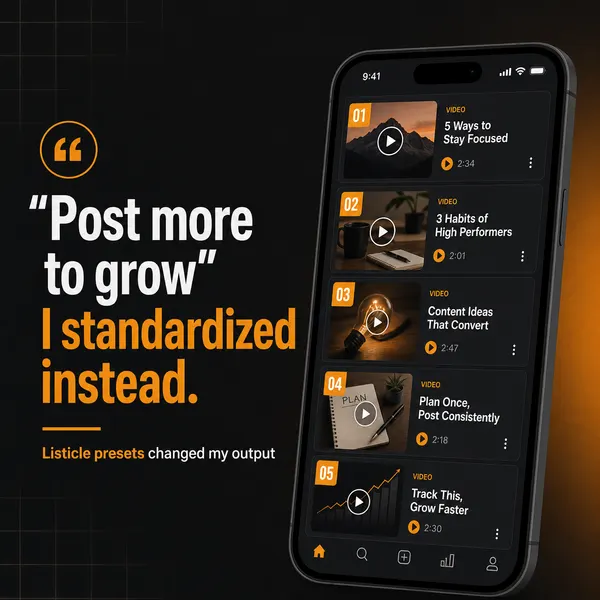
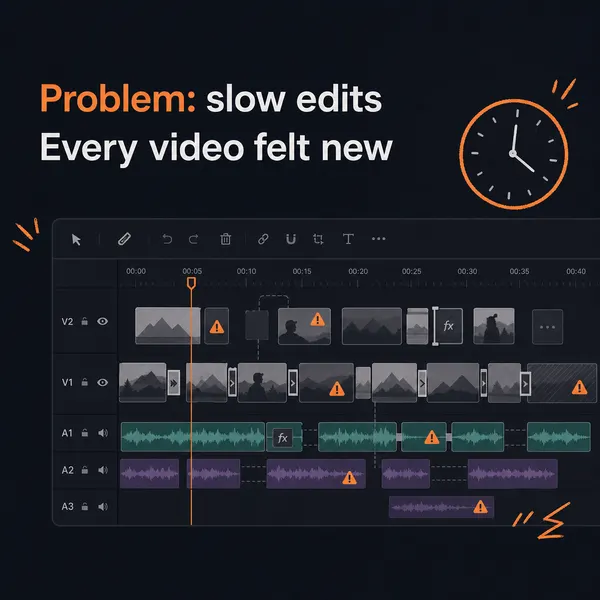
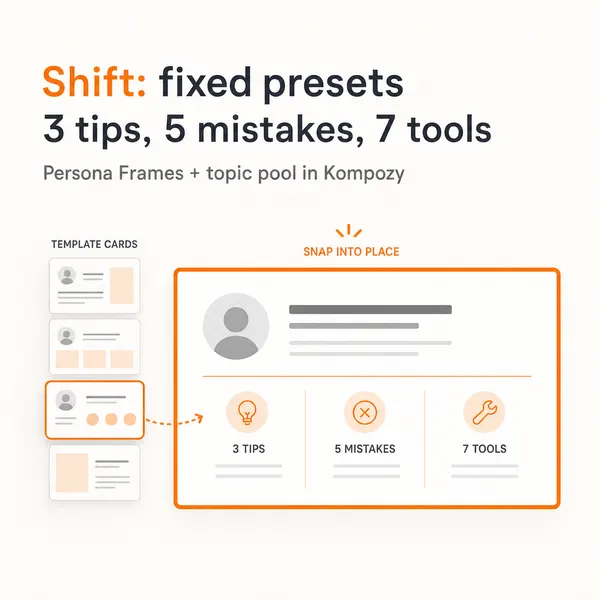
A real carousel generated in the Kompozy workspace, shown as an example of the format. It was not made for this guide or for any customer.


Who is this for, and who should skip it?
Best for:
- Teams with a steady source, such as a weekly video, podcast or blog.
- Operators tired of copy-pasting between a generator, a design tool and a scheduler.
- Brands that want speed with a human approval step kept in place.
Not ideal for:
- Anyone who wants source-to-published with no review.
- Accounts with no recurring source material to feed the pipeline.
- Community management and live replies, which should stay human.
Frequently asked questions
What does it mean to automate a social media workflow?
It means connecting the stages a post passes through — generation, repurposing into platform formats, approval, and scheduling — so the handoffs between them run automatically instead of a person carrying content from one tool to the next. It is broader than a scheduler, which automates only posting time, and broader than a single AI tool, which speeds up one task. The unit you are automating is the manual seam between stages, which is where most content operations actually lose their time.
Which parts of a social media workflow should stay manual?
The approval decision and real-time community management. Automate generation, repurposing, scheduling, and publishing, but keep a human confirming accuracy, brand fit, and any required AI disclosure before anything ships, and handling live replies, DMs, and crisis response. Disclosure rules now apply in some places (the EU AI Act's transparency rules from 2 August 2026), so the review gate is what makes an automated pipeline defensible rather than a liability. Automate up to and after the gate, never through it.
How do I automate my workflow without getting flagged by platforms?
Govern the output with a written voice spec so it does not read as generic AI, keep a human approval gate on every post, stagger publishing at each platform's native cadence instead of dumping a batch, and disclose AI where required. Graduate one source at a time from manual to hands-off after a proving period rather than flipping the whole channel at once. High-volume, ungoverned, undisclosed output is the pattern to avoid, and governed automation with a gate avoids it.
Do I need to build the automation myself or can I use one platform?
Both work. A do-it-yourself stack — an orchestrator like n8n, Make, or Trigger.dev calling model APIs — gives full control and a real maintenance burden, since every API change, rate limit, and expiring media URL becomes yours to handle. A platform that ships the create-through-publish stages pre-wired removes the tool-to-tool seams that most often break a stitched pipeline, at the cost of some control. Choose based on how much of your week you want the plumbing to cost you.
How long does an automated social media workflow take to run each week?
Once the source, voice spec, and format mapping are set up, you can run a full week or month of content in a single batch session, then approve as items come through and let the pipeline publish on schedule. The recurring cost drops sharply after the first cycle because the spec and mapping are reused; the ongoing work collapses to supplying the source and making the approval calls.
How do we know this?
On 2026-10-23 we checked the EU AI Act transparency obligations and their 2 August 2026 application date against the Act's text (Articles 50 and 113). Platform-behavior claims we could not source were removed. Kompozy plan details come from kompozy.io/pricing. Figures we could not confirm were removed or reworded.
Sources
- EU AI Act, Article 50: Transparency obligations for providers and deployers of certain AI systems (read 2026-10-23)
- EU AI Act, Article 113: Entry into force and application (read 2026-10-23)
- Kompozy: Pricing (read 2026-10-23)
Related tutorials
- How to build an AI social media content creation workflow (2026)
- How to automate your social media in 2026 (the safe, modern playbook)
- How to build an automated social content engine (2026)
- How to build a social media workflow (2026): the idea-to-published system
- How to repurpose content with AI (the manual workflow Kompozy automates, 2026)