How to migrate from ContentStudio to Kompozy (2026 guide)
Graduate from a discovery-first workflow into a production-first one.
Published 2026-05-21 · Updated
Short answer
Move from ContentStudio to Kompozy if production, not discovery, is your bottleneck. Save your curated topics, scheduled posts and RSS feed list, cancel at the end of the cycle, and connect your trusted sources in Kompozy. Kompozy generates text, image, video, blog and newsletter outputs and publishes them. Keep ContentStudio if curation feeds, RSS autoposting or its approval workflow drive much of your work.
Key takeaways
- ContentStudio Advanced is $69/mo, or $49/mo billed yearly; Standard starts at $29/mo.
- Kompozy has no content discovery feeds. It assumes you know your sources.
- ContentStudio AI Studio also makes text, images and video, so compare outputs on one source.
- Discovery in ContentStudio plus generation in Kompozy is a valid stack.
What does Kompozy replace when you leave ContentStudio?
- ContentStudio Advanced ($69/mo, or $49/mo billed yearly)
- a clipper like OpusClip ($29/mo)
- a writer like Jasper ($69/mo)
How do you move from ContentStudio to Kompozy, step by step?
- Export your ContentStudio libraries. Save copies of your curated topics, scheduled posts and RSS feed list.
- Decide if you need discovery-first tooling. If curation feeds drive much of your workflow, keep ContentStudio alongside Kompozy.
- Cancel ContentStudio at cycle end. Standard cancellation.
- Sign up for Kompozy. Create a workspace, draft a Persona Brief, connect your trusted sources.
- Connect publishing channels. Authorize all destinations.
- Generate across formats. Kompozy produces text, image, video, blog and newsletter outputs. ContentStudio AI Studio also makes text, images and video, so compare outputs on the same source.
- Ramp into autopilot. Review every output by hand for a week, then turn on autopilot one source at a time.
- Track the math. Add up what you paid each month for ContentStudio, your clipper and writer, and set it against Kompozy Starter ($199) or Pro ($499).
What does this look like in Kompozy?
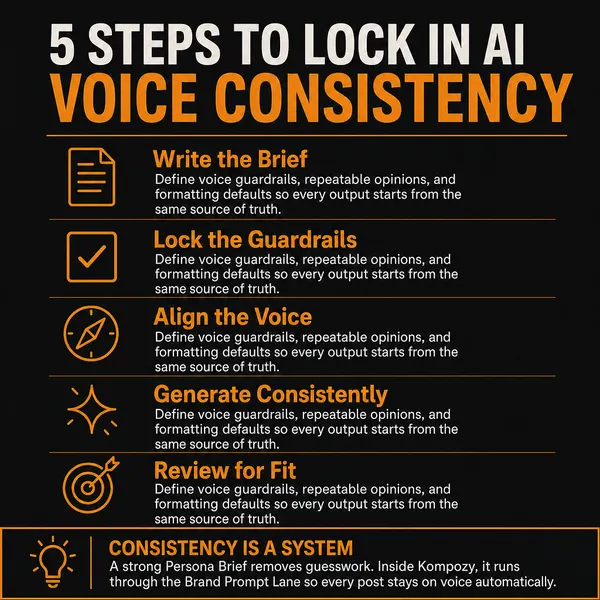
A infographic photo post made in the Kompozy workspace. It is a finished image post generated from a source, the production step that follows the curation ContentStudio handles.
Who is this for, and who should skip it?
Best for:
- Teams that already know their trusted sources and need more finished output
- ContentStudio users who also pay for a clipper and a writer
- Brands that want one Persona Brief across formats
Not ideal for:
- Curators whose workflow runs on discovery feeds and RSS autoposting
- Agencies that need ContentStudio client management, social inbox or competitor analytics
- Budget buyers: ContentStudio Standard is $29/mo and Kompozy Starter is $199/mo
Frequently asked questions
Does Kompozy have content discovery feeds?
No. Kompozy assumes you already know your trusted sources. ContentStudio discovery and RSS autoposting sit upstream of it.
Can I use both ContentStudio and Kompozy?
Yes. Discovery via ContentStudio, generation and publishing via Kompozy is a valid stack.
What does ContentStudio cost?
ContentStudio Standard is $29 a month ($19 billed yearly), Advanced $69 ($49 yearly) and Agency Unlimited $139 ($99 yearly). Enterprise is custom-priced.
Does Kompozy have approval workflows like ContentStudio?
Kompozy has a review gate where outputs wait for approval before they publish. ContentStudio Advanced includes an approval workflow with team collaboration.
Which Kompozy plan should I start on?
Starter is $199 a month for 5,500 credits and 3 sources. Pro is $499 a month for 18,000 credits and adds more sources, more platforms and full autopilot. Pick Pro if you want the hands-off autopilot step at the end of this guide.
How do we know this?
On 2026-10-23 we checked every ContentStudio price and feature on this page against the vendor pricing pages listed below, and removed the figures we could not confirm. Kompozy plan details come from kompozy.io/pricing and kompozy.io/faq.
Sources
- ContentStudio — Pricing (read 2026-10-23)
- OpusClip — Pricing (read 2026-10-23)
- Jasper — Pricing (read 2026-10-23)
- Kompozy — Pricing (read 2026-10-23)
- Kompozy — FAQ (read 2026-10-23)
- AI Brand Voice & Persona — Without a Persona Brief, every AI output averages to the LLM default voice.
See Kompozy vs ContentStudio on the compare grid → · Get Started