ChatGPT Can Now Turn a Rough Drawing Into a Finished Image With Sketch
OpenAI added Sketch to ChatGPT — draw a rough guide in the chat with @Sketch and the model renders it into a detailed image. It shipped with ChatGPT Images 2.5 on September 8, 2026.
2026-09-08 · by Moe Ameen
Published 2026-09-08 · Updated
Short answer
Sketch is a ChatGPT feature that turns a rough drawing into a detailed image. You type @Sketch, draw the layout, describe the style, and ChatGPT uses the drawing as a visual guide. It shipped with ChatGPT Images 2.5 on September 8, 2026, alongside templates and on-image comments, and is rolling out to ChatGPT, ChatGPT Work and Codex users on all tiers.
Key takeaways
- Type @Sketch in ChatGPT, draw a rough layout, add a style description, and get a finished image.
- Sketch launched with ChatGPT Images 2.5 on September 8, 2026.
- Images 2.5 cuts generation latency by up to 50% compared with Images 2.0.
- It is rolling out to ChatGPT, ChatGPT Work and Codex users on all tiers, on desktop, mobile and web.
What is ChatGPT Sketch?
OpenAI added a feature called Sketch to ChatGPT, letting you draw a rough guide directly in the chat and have the model turn it into a detailed image. You invoke it by typing @Sketch, doodle the layout of a scene — the shape of a room, the contour of an outfit, the arrangement of objects in a frame — and add a text description of the style and details you want. ChatGPT uses the drawing as a compositional reference rather than a literal image, so a crude scribble is enough to steer where things go. OpenAI's framing is that you do not need to be an artist; the sketch is just a faster way to communicate layout than a paragraph of prompt.
Sketch arrived as part of ChatGPT Images 2.5, OpenAI's new image model announced September 8, 2026, which also brought Templates (prebuilt starting points for popular formats like flyers and product photos), the ability to leave comments directly on a generated image for focused edits, and up to 50% faster generation than the prior Images 2.0. Sketch is rolling out with the model to all ChatGPT, ChatGPT Work, and Codex users across desktop, mobile, and web.
The appeal is control. Text prompts are good at describing content and style but weak at pinning down composition — where a subject sits, how elements are arranged, what the framing is. A rough drawing communicates that instantly. Sketch closes the gap between having a layout in your head and getting the model to honor it, without learning prompt tricks or fighting the generator across a dozen retries.
Why does ChatGPT Sketch matter for creators?
- Composition control is the hardest thing to get from a text prompt; a rough sketch communicates layout in one gesture, so you land the framing you wanted in fewer tries.
- It lowers the skill floor — you can direct a professional-looking image without design or drawing ability, just a sense of where things should go.
- For thumbnails, product mockups, and scene layouts where placement matters, sketching the frame beats describing it, and beats generating blindly and hoping.
- It is a single-image input tool, not a content workflow — the output is one image in a chat, still uncaptioned, unbranded, and unpublished.
- A sketch nails one image's layout, but keeping a consistent face and brand frame across a whole calendar of posts is a separate problem it does not address.
How do you turn a sketched image into a branded set with Kompozy?
Sketch is a control surface for one image; the interesting move for a creator is treating that controlled image as the seed of a whole drop. Sketch a thumbnail or a hero layout, describe the style, let ChatGPT render it — then bring that image into Kompozy and fan it into a set: a brand-exact carousel built with HyperFrames, a Quote Graphic pulling the strongest line, and Photo Posts with per-platform copy written in your voice through the Persona Brief. One sketched idea becomes a coordinated, scheduled drop across nine platforms plus blog and email, instead of a single file you still have to caption and post by hand.
There is also a fast, timely play. "ChatGPT can turn your drawings into images now" is a high-intent search this week, and one point of view about it can become a week of content in Kompozy — a short explainer, a carousel breaking down how Sketch works, captioned clips, and platform-native posts, all scheduled with autopilot and a review step. The parallel is almost too neat: Sketch takes a rough gesture and makes it a finished image; Kompozy takes a finished image and makes it a finished, published feed. For the full picture of the model Sketch shipped inside, see our ChatGPT Images 2.5 launch coverage.
What are the key facts about ChatGPT Sketch?
- OpenAI added Sketch to ChatGPT: draw a rough guide with @Sketch and it renders a detailed image using the drawing as a composition reference.
- It shipped inside ChatGPT Images 2.5 on September 8, 2026, alongside Templates, on-image comments, and up to 50% faster generation.
- Sketch is available to all ChatGPT, ChatGPT Work, and Codex users across desktop, mobile, and web.
- It is an input-control feature for one image — it does not caption, brand, fan out, or publish.
- Pair the sketched image with Kompozy to fan it into a branded set and ship it across nine platforms plus blog and email.
What does this look like in Kompozy?
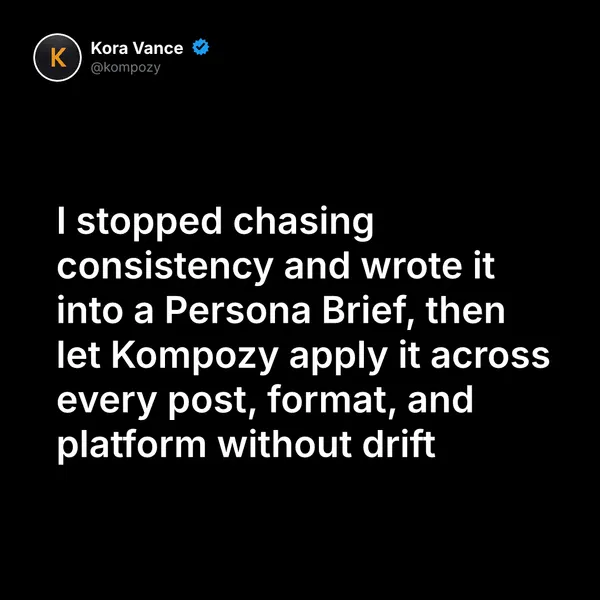
A quote graphic made in Kompozy. One image or idea can be fanned out into formats like this. It was not drawn with ChatGPT Sketch.
Who is this for, and who should skip it?
Best for:
- Creators who know the layout they want, like a thumbnail or product scene, but struggle to describe it.
- Anyone without drawing skill. A rough scribble is enough.
Not ideal for:
- Teams that need a consistent face and brand frame across many posts. Sketch controls one image at a time.
- Captions and publishing. Sketch hands you an image in the chat and stops there.
Frequently asked questions
What is ChatGPT Sketch?
It is a feature in ChatGPT that turns a rough drawing into a detailed image. You type @Sketch, draw a rough guide for the layout in the chat, add a text description of the style and details, and the model renders a finished image using your sketch as a compositional reference. It shipped with ChatGPT Images 2.5 on September 8, 2026.
How do you use Sketch in ChatGPT?
Type @Sketch in the chat to open the drawing canvas, sketch the rough layout you want — a room, an outfit shape, the arrangement of a scene — and describe the style and any details in text. ChatGPT treats the drawing as a guide for composition rather than a literal image and generates a detailed result. You do not need drawing skill; a crude scribble is enough to steer placement.
Do you need a paid ChatGPT plan for Sketch?
Sketch rolled out with ChatGPT Images 2.5 to all ChatGPT, ChatGPT Work, and Codex users across desktop, mobile, and web. OpenAI says Images 2.5 is rolling out across all tiers, so a free account can use it too. Check OpenAI's pricing page for current limits.
Can ChatGPT Sketch turn one image into social posts?
No. Sketch controls the composition of a single generated image; it does not caption for social, turn one image into a branded multi-format set, or publish anywhere. That distribution work is separate — a content engine like Kompozy takes a generated image and fans it into a carousel, quote card, and per-platform posts, then schedules them across nine platforms.
How do we know this?
We checked every figure, date and quote on this page against the sources listed below on 2026-10-23, and removed or rewrote claims we could not confirm. Kompozy plan and format details come from kompozy.io/pricing.
Sources
- OpenAI — Introducing ChatGPT Images 2.5 (read 2026-10-23)
- Kompozy — Pricing (read 2026-10-23)