Cloudflare Lets Sites Block AI Training While Keeping Search Crawlers Allowed — But Googlebot's Dual Role Is the Catch
New per-purpose controls split AI bots into Search, Agent, and Training so a site can stay discoverable while refusing training crawlers. Because Googlebot does both jobs with one bot, blocking training can block Google Search too.
2026-09-16 · by Moe Ameen
Published 2026-09-16 · Updated
Short answer
Cloudflare now lets every site, free plan included, manage AI bots by purpose: Search, Agent and Training. You can allow search crawlers and block training crawlers. The catch is Googlebot, which does both jobs, so blocking Training also blocks it. From September 15, 2026, new domains on Cloudflare block Training and Agent bots by default on pages that show ads.
Key takeaways
- Cloudflare announced Search, Agent and Training bot controls on July 1, 2026, for all customers.
- Multi-purpose crawlers like Googlebot, Applebot and Bingbot are blocked if you block Training.
- From September 15, 2026, new domains block Training and Agent bots on ad pages by default; Search stays allowed.
- The old one-click "Block AI bots" option also blocks those mixed crawlers.
What did Cloudflare change about blocking AI bots?
Cloudflare has replaced its blunt "Block AI bots" toggle with per-purpose controls that let a site owner allow, or block, AI traffic by what the bot is actually doing. Announced on July 1, 2026, for Cloudflare's second annual "Content Independence Day," the system — available to all customers, including the free plan — sorts crawlers into three categories a site can manage independently: Search, Agent, and Training. The headline capability is that a site can keep search bots allowed, so it stays discoverable, while blocking crawlers that only exist to train AI models.
Cloudflare defines the three categories by purpose. Search is any bot that collects or indexes your content so it can answer questions about it later. Agent is automated behavior acting in real time on a person's behalf — chat fetch bots like ChatGPT-User, and browser-use agents such as an AI driving Chrome. Training is a crawler that absorbs your content into a model's training data. The point of splitting them is that "block AI" was too coarse: many site owners want to stay in search results and answer engines while refusing to be free training fuel.
The catch is mixed-purpose crawlers, and Googlebot is the one that matters. Cloudflare classifies Googlebot (and Bingbot) as "Search + Training," because Google crawls for search indexing and AI purposes with a single bot rather than a separate, blockable training agent. When a bot serves multiple purposes, the most restrictive rule applies — so a site that sets AI Training to "block" can also block Googlebot.
In practice you cannot use these controls to refuse Google's AI training while keeping its search crawl, because Googlebot does both jobs.
Cloudflare also set new defaults taking effect September 15, 2026. For all new domains onboarding to Cloudflare, bots classified as Training or Agent are blocked by default on pages that display ads, while Search stays allowed. Mixed Search + Training crawlers get blocked for any customer who blocks Training, whether through the new controls or the legacy "Block AI bots" option.
Site owners could opt out of the new defaults in their Security settings any time before September 15. Confirm the exact category behavior and current defaults in Cloudflare's own documentation before changing anything, as the rules are still being refined.
Why does the Googlebot catch matter for site owners?
- It turns a blunt on/off switch into a real choice: stay discoverable in search and answer engines while refusing training-only crawlers. That is the trade-off most creators actually want to make about their own site.
- The Googlebot caveat is the trap. Because Google crawls for search and AI with one bot, a well-intentioned "block AI training" setting can also drop you out of Google Search — the opposite of what a creator wants.
- Defaults are changing under people who never touch a setting. New domains that join Cloudflare from September 15, 2026 get the new behavior automatically, so a hands-off site owner can have their crawl posture set for them.
- This is a control on ONE domain you own — your website. It governs what gets crawled there; it does nothing for the reach you build on platforms and in inboxes, where most creators actually grow.
- The durable signal is that discoverability now splits between classic search and AI answer engines, and both are things you feed with original, well-structured content — not something a single crawler toggle can secure for you.
How can Kompozy keep your reach from depending on one crawler setting?
A Cloudflare toggle is defense on a single door: it decides what crawls your website. Useful — but it does nothing to make you discoverable in the places that actually drive growth, and getting it wrong can quietly drop you out of Google. The offense is producing enough original, well-structured content that you get found and cited everywhere — across search, AI answers, social feeds, and inboxes — so no one domain's crawl policy decides your reach. That production is what Kompozy exists to do. From one genuine idea it generates a depth-carrying Blog Article and an Email Newsletter — the structured, first-hand material that grounds both search rankings and AI answers — alongside brand-exact Carousel Posts, Quote Graphics, Photo Posts, and captioned shorts, all held to one voice by the Persona Brief.
The distribution is the point. Where a Cloudflare rule gates a crawler on your site, Autopilot does the opposite — it schedules and fans your set across the eight social platforms plus blog and email, behind a per-post review gate, so a single idea is indexed and surfaced in many owned and social places at once. Your newsletter list and blog are yours regardless of any crawler policy; your social presence keeps compounding whether or not a training bot ever reads your homepage. Set your Cloudflare categories however you like — allow search, block training, protect your ad pages — and let Kompozy make you big enough across nine destinations that the setting on one door stops being the thing your growth depends on.
What are the key facts about Cloudflare's AI bot controls?
- Cloudflare replaced its "Block AI bots" toggle with per-purpose controls — Search, Agent, and Training — that all customers, including free-plan users, can allow or block independently. Announced July 1, 2026.
- A site can now keep search crawlers allowed while blocking training-only and agent bots, so it stays discoverable without becoming free training data.
- Googlebot and Bingbot are classified "Search + Training," and the most-restrictive rule wins — so blocking AI training can also block Google Search.
- From September 15, 2026, new domains onboarding to Cloudflare get new defaults: Training and Agent blocked on ad pages, Search allowed. Owners could opt out beforehand in Security settings.
- The toggle governs one owned domain. Kompozy turns one idea into a blog, newsletter, carousels, and shorts and fans them across nine destinations, so discoverability is not hostage to a single crawler rule.
What does this look like in Kompozy?
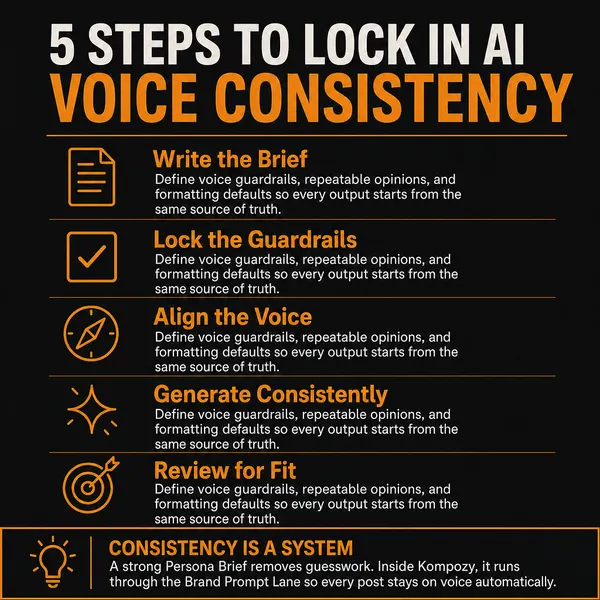
An infographic photo post from the Kompozy workspace: the kind of structured, original post Kompozy publishes to feeds you own. It has nothing to do with Cloudflare.
Who is this for, and who should skip it?
Best for:
- Site owners on Cloudflare who want to stop training-only crawlers and keep search bots.
- Publishers with ad-supported pages who should check the September 15 defaults.
Not ideal for:
- Anyone who wants to block Google's AI training but keep Google Search. These controls cannot split Googlebot.
- Sites that do not run through Cloudflare. This is a Cloudflare setting.
Frequently asked questions
Can I block AI training on my site but still let Google index it?
Not through these controls. Cloudflare treats Googlebot as a crawler that does both search and training, and the most restrictive rule wins, so blocking Training also blocks Googlebot. The separation works for crawlers that only train.
What are the three Cloudflare AI bot categories?
Search bots collect or index your content so they can answer questions about it later. Agent bots act in real time on a person's behalf, like ChatGPT-User or an AI driving a browser. Training bots take your content to train or fine-tune a model.
Who can use Cloudflare's new AI bot controls?
All website owners on the Cloudflare network, including free-plan customers. Each category can be allowed or blocked on its own.
What changed on September 15, 2026?
Cloudflare set new defaults for new domains joining the network. Training and Agent bots are blocked by default on pages that display ads, while Search stays allowed.
Does the old "Block AI bots" toggle still matter?
Yes. Customers who block Training, through the new controls or the legacy Block AI bots option, also block multi-purpose crawlers such as Googlebot, Applebot and Bingbot.
How do we know this?
We checked every figure, date and quote on this page against the sources listed below on 2026-10-23, and removed or rewrote claims we could not confirm. Kompozy plan and format details come from kompozy.io/pricing.
Sources
- Cloudflare — Content Independence Day: new options to manage AI traffic (read 2026-10-23)
- Kompozy — Pricing (read 2026-10-23)
Related news
- Google Gives Publishers New Controls to Fight AI-Driven Traffic Losses, Led by an Embeddable "Preferred Sources" Button
- Twitch Will Train Amazon's Generative AI on Your Streams by Default — Unless You Find the Opt-Out Toggle
- Google Is Testing "AI Contribution," a Search Console Pilot That Pays Publishers When Their Content Feeds AI Answers