VODForge
A free, open-source desktop app that downloads YouTube videos and playlists to high-quality MP4 or MP3, built as a friendly interface over yt-dlp and FFmpeg.
Last verified · 2026-10-23 · by Moe Ameen
Published 2026-09-06 · Updated
Short answer
VODForge is a free, open-source desktop app that downloads YouTube videos and playlists as MP4 or MP3. It is a friendly interface over yt-dlp and FFmpeg, released under the MIT license, and it keeps a local library you can browse by channel and playlist. It runs on macOS and 64-bit Windows 10 and 11, needs no account, and uses no AI itself.
Key takeaways
- VODForge is a YouTube downloader, not an AI generator.
- It is free, MIT-licensed, and built on yt-dlp and FFmpeg.
- It runs on macOS and Windows 10 and 11, with no Linux build; the current release is 0.2.5.
- Only download videos you own or are licensed to reuse.
- In Kompozy, one downloaded talk can become shorts, a blog, a newsletter, and carousels.
What is VODForge?
First, an honest framing: VODForge is not an AI generator. It is a free, open-source desktop app that downloads YouTube videos and playlists — a friendly graphical interface over yt-dlp and FFmpeg, the standard open-source engines for the job. It sits in a creator's toolkit next to AI tools rather than being one, and it earns its place because "get a clean local copy of the source" is the first, unglamorous step that most AI content workflows quietly assume you have already done.
Released under the MIT license with code on GitHub, VODForge saves YouTube videos and playlists as MP4 video or MP3 audio using export presets, so you never touch a yt-dlp flag. It saves a playlist as a batch of separate files, lets you pick audio quality and artwork, and keeps a local media library you can browse by channel, playlist, and collection. It runs on macOS (Apple Silicon builds need macOS 26 or newer, Intel builds need macOS 15 or newer) and 64-bit Windows 10 and 11, with no Linux build, and the desktop app needs no account.
The app is published by Kryden Ventures, LLC, and a paid "VODForge Pro" service is planned separately from the free app. The current release is 0.2.5, so treat specifics as early-version and confirm them on the official page. And the standing boundary applies: it grants no rights — only download content you own or are licensed to reuse.
What can you make with VODForge?
- A local MP4 of a YouTube video you own or have licensed, ready for editing
- An MP3 copy at the audio quality you choose, for offline listening or audio-first repurposing
- A full playlist or back catalog saved as a batch of separate files
- A local library you can browse by channel, playlist, and collection
- Files you can inspect with their metadata and open in their exact folder
What can you do with a VODForge download in Kompozy?
VODForge hands you a file; Kompozy is what turns that file's spoken content into a content library. This bridge is different from just clipping — the real leverage in a downloaded video is the transcript. Kompozy is a content generation and multi-platform publishing engine, so once you have your own long-form MP4, it works the video from both ends: cut the footage into Clipped Shorts with auto-captions and per-platform reframing, and separately mine what was said to generate net-new text and image formats a downloader could never produce — a blog article and an email newsletter written from the video's ideas, Quote Graphics pulling the sharpest lines, and a multi-slide Carousel summarizing the argument.
Because everything is governed by a written Persona Brief, the short clips, the newsletter, and the carousel all read as one brand rather than three disconnected posts. You can even record a face-locked Persona Short — an AI-influencer avatar — that reintroduces the video's point in your recurring on-brand format. VODForge is the capture step; Kompozy is the multiplier that takes one downloaded talk and ships it across the eight primary social platforms plus blog and email.
- Use VODForge to download your own long-form YouTube upload (or a rights-cleared clip) as a high-quality MP4.
- Bring the file into Kompozy and generate Clipped Shorts — vertical cuts, each auto-captioned and reframed 9:16 / 1:1 / 16:9 per platform.
- Feed the video's transcript into Kompozy's text formats to draft a blog article and an email newsletter from the same ideas.
- Generate Quote Graphics and a Carousel from the standout lines, all held to your Persona Brief so the set stays on-brand.
- Review everything in the per-post pipeline, then schedule and publish across the eight social platforms plus blog and email on Autopilot.
What does this look like in Kompozy?
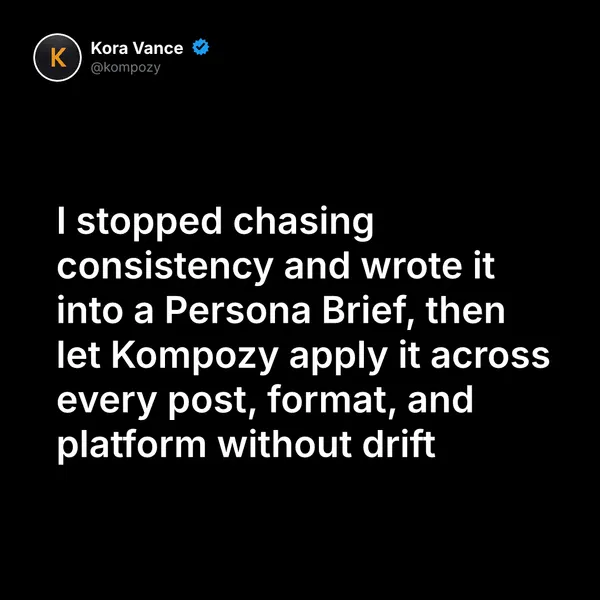
A quote graphic generated in Kompozy, the kind of post you can pull from a long video. This one was not made from a VODForge download.
Who is this for, and who should skip it?
Best for:
- Creators who need clean local copies of their own YouTube uploads
- Anyone archiving a playlist or back catalog they have rights to
- People who want a free, no-account desktop tool instead of ad-heavy web converters
Not ideal for:
- Linux users, since there is no Linux build
- Anyone who wants to reuse other people's videos without permission
- Anyone looking for AI generation or editing
Frequently asked questions
Is VODForge an AI tool?
Not really. VODForge is a downloader — a free, open-source desktop interface over yt-dlp and FFmpeg for saving YouTube videos and playlists. It uses no AI generation itself. It belongs in a creator toolkit as the capture step that feeds AI content workflows, which is why it is worth knowing about.
Is VODForge free and open-source?
Yes. The desktop app is free and MIT-licensed with source on GitHub, and requires no account. A separate paid "VODForge Pro" service is planned, distinct from the free desktop app.
What can I make from a VODForge download?
On its own, a local MP4 or MP3. Paired with a content engine like Kompozy, that one file becomes clips, captions, a blog post, a newsletter, quote graphics, and a carousel — a week of platform-native content from a single source video you own.
What platforms does VODForge run on?
macOS (Apple Silicon builds need macOS 26 or newer, Intel builds need macOS 15 or newer) and 64-bit Windows 10 and 11. There is no Linux build at the time of writing.
How do we know this?
We checked every figure and vendor claim on this page against the sources listed below on 2026-10-23, including the license, platforms, version and planned paid service on getvodforge.com; we removed 4K, 320 kbps and origin-story claims the site does not make and updated the macOS requirements and version. Kompozy plan and product details come from kompozy.io and kompozy.io/pricing.
Sources
- VODForge — Home, FAQ and downloads (read 2026-10-23)
- Kompozy — Home (platforms, outputs per source, Persona Brief, review queue) (read 2026-10-23)
Related tools
- OpusClip — The AI clipper that turns one long-form video into a batch of captioned, auto-reframed vertical shorts — using ClipAnything to find the moments most likely to perform.
- CapCut — ByteDance's all-in-one editor, now an AI creation suite — generate video, images, and audio in the timeline with Seedance, Seedream, and Seedmusic.
- Descript — An AI audio and video editor you drive by editing the transcript — with the Underlord AI assistant, Studio Sound, AI avatars and voices, and translation, built for podcasts and video.