How to collect social media data (the full workflow, 2026)
Collect social media data end to end: set goals, pull native analytics, add social listening, track conversions, unify sources, and stay GDPR/CCPA compliant.
Last verified · 2026-10-23 · by Moe Ameen
Published 2026-09-17 · Updated
Short answer
To collect social media data, start with the decision the data has to inform. Pull first-party numbers from each platform's native analytics, add social listening for mentions and sentiment, and tag every posted link with UTM parameters so GA4 can tie visits and sign-ups to a post. Merge it all into one view with matching date ranges, collect only what you need, and follow GDPR, CCPA and state privacy laws.
Key takeaways
- Write down the question first. It decides which metrics are worth collecting at all.
- Native analytics give exact first-party numbers. Social listening shows what people say when they don't tag you.
- Tag every link you post with UTM parameters so GA4 can credit social for visits and sign-ups.
- Use one schema and one date range across sources, or your comparisons will mislead you.
- Under GDPR, processing personal data needs a lawful basis. Collect less and aggregate where you can.
Social media data collection is the practice of gathering the numbers and the signals your accounts and your audience generate — engagement, reach, follower growth, demographics, sentiment, mentions, and the conversions that follow — so you can make content and campaign decisions from evidence instead of instinct. Most teams already have far more data than they use; the problem is that it lives in several disconnected dashboards, gets pulled ad hoc for a monthly report, and never loops back into what gets made next.
This walks the whole collection workflow in order: deciding what question you are answering, mapping the two kinds of data (the first-party data your owned accounts produce and the public data your audience produces), pulling each from native analytics, social listening, surveys, and conversion tracking, then unifying it into one view and staying on the right side of privacy law.
It is deliberately tool-agnostic on the front end — the same steps work whether you export CSVs by hand or run an all-in-one platform. For turning the collected data into a stakeholder report, see how to create social media reports with AI; for measuring the conversions specifically, see how to measure social media performance in GA4.
What are the steps to collect social media data?
- Start with the decision, not the dashboard. Before you collect anything, write down the question the data is meant to answer — which format to make more of, whether a campaign moved the needle, why reach dropped, who your audience actually is. The question decides which metrics matter and saves you from hoarding numbers nobody will act on. A collection effort with no decision attached becomes a monthly chore that produces a chart and changes nothing.
- Map the two kinds of data you can collect. First-party data comes from accounts you own — impressions, clicks, reach, follower growth, saves — and is exact but flattering, because it only sees people already in your orbit. Public data comes from your audience and the wider conversation — comments, mentions, hashtags, competitor posts — and is noisier but a more honest signal of sentiment and demand. A complete picture needs both; owned analytics alone will never tell you what people say when you are not the subject.
- Pull native platform analytics first. Every platform ships a built-in dashboard: Meta Business Suite for Instagram and Facebook, LinkedIn's page analytics, TikTok's analytics in the business tools, YouTube Studio, and so on. These are the fastest source of accurate first-party numbers — engagement, reach, and basic demographics per post and per account. Export the window you care about (for example, the last 28 or 90 days) rather than eyeballing the screen, so the numbers are comparable month to month.
- Add social listening for the public signal. Native analytics cannot see conversations that do not tag you. A social listening tool monitors keywords, brand mentions, hashtags, sentiment, and competitor activity across platforms, capturing the demand and perception signals your own dashboards miss. Set up tracked queries for your brand name and common misspellings, your key product terms, and two or three competitors, then review what surfaces — it is where you find the objections, the unmet needs, and the language your audience actually uses.
- Capture qualitative data on purpose. Numbers tell you what happened; comments, DMs, poll answers, and reviews tell you why. Run native polls (Instagram Story polls, LinkedIn polls) or a short Typeform/Google Form when you want a direct answer, and systematically read the replies and DMs on your top and bottom posts for recurring themes. Log the patterns, not every message — three people asking the same question is a content brief.
- Connect the conversions with UTMs and analytics. Engagement is a means; the business cares about clicks, sign-ups, and sales. Tag every link you post with UTM parameters so your web analytics (GA4 or equivalent) can attribute referral traffic, landing-page visits, and conversions back to the specific platform, campaign, and post. Without UTMs, social's contribution to revenue is invisible and the whole channel gets undervalued in the report that decides its budget.
- Unify the sources into one comparable view. Data spread across five native dashboards, a listening tool, and GA4 is data you will not cross-reference. Pull each source into one place — a structured spreadsheet with a consistent schema, a data warehouse, or an all-in-one platform that ingests the APIs — using the same date ranges and metric definitions so an 'engagement rate' means the same thing everywhere. The single view is what lets you see that a format winning on TikTok is dying on LinkedIn.
- Set a review cadence and close the loop. Collection only pays off if it changes what you make. Establish a rhythm — a quick weekly check on live campaigns, a monthly deep dive that connects metrics to your actual KPIs — and end every review with a decision: more of this format, kill that posting time, test this hook. The output of a review is not a dashboard; it is the next content brief, fed back into production.
What mistakes ruin social media data collection?
- Collecting everything because you can. Vanity metrics pile up and bury the two or three numbers tied to your goal; decide the question first, then collect only what answers it.
- Trusting owned analytics as the whole truth. First-party data only sees people already engaging with you — it will never show the audience you are failing to reach or the sentiment of people who never tag you. Pair it with public/listening data.
- Comparing numbers across different date windows or metric definitions. A 28-day export next to a 90-day export, or two tools that define 'engagement rate' differently, produces conclusions that are simply wrong. Fix the schema before you analyze.
- Scraping private or gated data. Public posts and comments are generally fair to collect; private messages, closed-group content, and anything behind privacy settings require explicit consent, and each platform's API terms of service bound what you may pull and store.
- Storing raw personal data you do not need. Analyze in aggregate and strip personally identifiable information wherever possible — minimizing collection is both the compliant choice and the lower-liability one.
- Letting collection be the finish line. Data that never loops back into what gets produced is an expensive habit; the review has to end in a decision, or you are measuring for its own sake.
Social media data collection is bound by privacy law and platform terms. Under GDPR (EU/EEA), CCPA/CPRA (California), and a growing set of US state laws (Virginia's VCDPA, Colorado's CPA, Connecticut's CTDPA, and others), processing personal data requires a documented lawful basis, transparency about what you collect and why, and honoring access and deletion requests; sensitive categories carry extra limits. Public availability does not equal a free license — many platforms' terms of service restrict scraping and API use, and 'public' does not always mean 'fair to repurpose.' Distinguish public from private data, collect only what you need, keep a current privacy notice that describes your practices, and confirm the specific obligations that apply to your jurisdiction and use case before you build a collection pipeline. This is general information, not legal advice.
What happens after the data tells you what to make?
Data collection answers one question — what should we make more of? — and then leaves you holding a decision with no production capacity behind it. The listening tool surfaces the objection your audience keeps raising; the native dashboard shows the carousel format outperforming everything on LinkedIn; GA4 shows which hook drove sign-ups.
Every one of those findings is a content brief, and a solo creator or small team collecting diligently every week can generate briefs far faster than they can produce against them. That gap — insight arriving quicker than output can follow — is where Kompozy sits.
Kompozy is a full AI content generation and multi-platform publishing engine, not an analytics or listening tool, and it is honest about that boundary: it does not pull your metrics, monitor mentions, or build your report. What it does is close the loop on the output side.
Feed it the decision your data produced — 'more short buying-guide carousels for LinkedIn,' 'answer the pricing objection in a Text Post,' 'test three hooks on this topic' — and it generates the finished, on-brand pieces across 20 formats: brand-exact Carousel Posts, Text Posts, Photo Posts, Persona Shorts, Blog Articles, Email Newsletters.
Because the per-post review pipeline gates every piece before it ships and a single Persona Brief holds your voice, the content that acts on the data still sounds like you, at the cadence step 8's monthly review demands.
The practical shape is a closed loop: collect the data and decide (this workflow) → generate against the decision (Kompozy) → publish across the eight social platforms plus blog and email from one queue → collect the next window's data to see if the decision was right.
When a format your listening data flagged as rising needs to run everywhere at once, Autopilot fans a single approved queue to every destination on schedule, so the lag between 'the data says do this' and 'it is live everywhere' collapses from a week of manual reposting to one review.
Starter ($199/mo for 5,500 credits, 4 platforms) fits a solo creator running a weekly collect-decide-produce loop; Pro ($499/mo for 18,000 credits, 9 platforms and full autopilot) sustains a team acting on data across every platform; Enterprise is available through Contact Sales for agencies running the loop across many brands.
What does this look like in Kompozy?
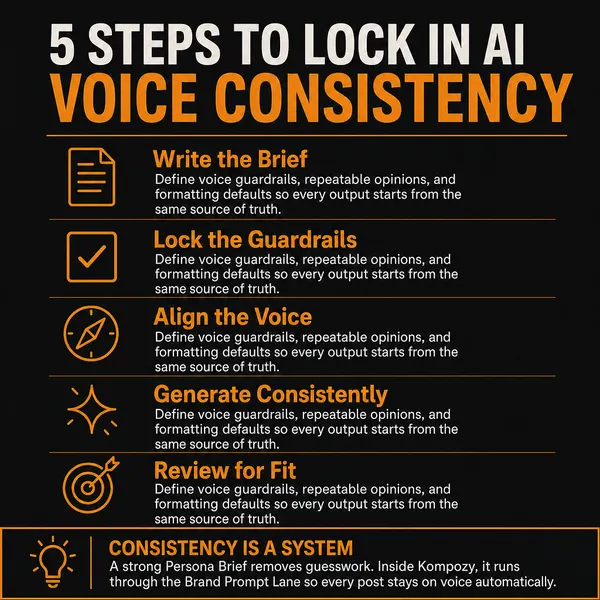
A real infographic made in the Kompozy workspace, shown as an example of the format. It was not made for this guide.
Who is this for, and who should skip it?
Best for:
- Marketers and creators who want a repeatable way to gather analytics, listening and conversion data
- Small teams whose data already sits in separate dashboards and who want one view
Not ideal for:
- Anyone who needs legal advice on a specific collection pipeline (talk to a privacy lawyer)
- Teams hoping Kompozy will pull metrics or monitor mentions. It does neither
- Projects that depend on scraping private or gated content
Frequently asked questions
What is social media data collection?
It is the practice of systematically gathering the metrics and signals your social accounts and audience generate — engagement, reach, follower growth, demographics, sentiment, mentions, and downstream conversions — so content and campaign decisions rest on evidence rather than guesswork. It spans first-party data from accounts you own and public data from the wider conversation, pulled from native analytics, social listening, surveys, and web analytics.
What are the main methods for collecting social media data?
Six that cover most needs: native platform analytics (the built-in dashboards), social listening tools (keywords, mentions, sentiment, competitors), surveys and polls (direct qualitative feedback), community engagement (comments, DMs, reviews read for themes), competitive analysis, and APIs or manual spreadsheet tracking for raw data. Most teams combine native analytics for owned numbers with a listening tool for public signal and web analytics for conversions.
What social media metrics should I actually track?
Track back from your goal, not forward from what is available. Common buckets are engagement (likes, comments, shares, saves, completions, engagement rate), reach and impressions, follower growth, audience demographics and active times, sentiment and share of voice, and conversions (click-through, UTM-attributed traffic, sign-ups, sales). Pick the two or three tied to the decision you are making and let the rest be context.
Is it legal to collect social media data?
Collecting your own first-party analytics and reading public posts is generally fine; the constraints appear when you gather personal data at scale or via APIs. GDPR, CCPA/CPRA, and US state privacy laws require a lawful basis, transparency, and access/deletion rights for personal data, and platform terms of service restrict scraping and API use. Private messages and gated content need explicit consent. Minimize what you collect, aggregate and strip PII where you can, and check the rules for your jurisdiction.
What is the difference between first-party and public social data?
First-party data is what your owned accounts produce — impressions, clicks, reach, follower growth — and it is exact but only sees people already engaging with you. Public data is what your audience and the market produce — comments, mentions, hashtags, competitor posts — and it is noisier but a more honest read of sentiment and demand. Owned data tells you how your content performed; public data tells you what people think when you are not the subject.
How do we know this?
On 2026-10-23 we checked the privacy-law, lawful-basis and UTM statements on this page against the official sources listed below. Kompozy plan details come from kompozy.io/pricing.
Sources
- Google Analytics Help: URL builders and UTM parameters (read 2026-10-23)
- GDPR Article 6: Lawfulness of processing (read 2026-10-23)
- California Attorney General: California Consumer Privacy Act (CCPA) (read 2026-10-23)
- Code of Virginia: Chapter 53, Consumer Data Protection Act (read 2026-10-23)
- Connecticut Attorney General: The Connecticut Data Privacy Act (read 2026-10-23)
- Colorado General Assembly: SB21-190, Protect Personal Data Privacy (Colorado Privacy Act) (read 2026-10-23)
- Kompozy: Pricing (read 2026-10-23)