Threads Rebuilds Its Profile Analytics Around AI Summaries — and Quietly Drops Link Clicks
The overhauled Insights display adds plain-language Meta AI summaries at the post and account level, a follower-versus-non-follower reach split, and per-post context that labels each number higher, lower, or typical against your recent baseline — while removing the link-click metric.
2026-09-09 · by Moe Ameen
Published 2026-09-09 · Updated
Short answer
On September 8, 2026, Threads redesigned its profile Insights around Meta AI summaries for each post and for the whole account. It now labels views, viewers, likes and reposts as higher, lower or typical against your recent posts, and shows follower versus non-follower reach, the communities that drove engagement, demographics and your best days and times. It also dropped link-click data. Meta says it is "exploring" bringing it back.
Key takeaways
- Threads rebuilt its Insights panel on September 8, 2026, with Meta AI summaries for posts and accounts.
- Each post metric is now marked higher, lower or typical against your recent posts.
- You can see follower versus non-follower reach, top communities, demographics and best posting times.
- Link-click stats are gone; a Meta spokesperson said the company is "exploring" the feature.
What changed in Threads profile analytics?
On September 8, 2026, Threads rolled out a redesigned profile-analytics display that leans on Meta AI to interpret the numbers instead of just listing them. The rebuilt Insights view puts a machine-generated summary at the top of both individual posts and the account as a whole, translating raw counts into a plain-language read of what happened and what likely drove it. Threads head Connor Hayes framed the point as seeing "how each post did and what actually drove the results" alongside new audience metrics — the shift is from a dashboard you interpret yourself to one that hands you a first read.
The new panel adds detail in a few directions. Per post, Threads now labels each metric — views, viewers, likes, reposts — as higher, lower, or typical compared with your other recent posts, with AI blurbs along the lines of "this post got about 8 times more views than your recent posts" or a monthly account note like "this has been one of your quieter months, with views down 75%."
It surfaces how much of a post's reach came from followers versus people who do not follow you (in-stream discovery), which in-app communities drove engagement, plus audience demographics and peak posting times and days. The stated goal is to help creators — especially newer ones — plan around what is actually working.
The notable subtraction is link clicks. The redesigned display no longer reports link-click data that Threads previously surfaced; a Meta spokesperson said the company is "exploring" the metric rather than explaining the removal. For creators who route traffic off-platform, that is a real blind spot introduced in the same update that made the rest of the picture richer. Treat exact metric labels, the AI-summary wording, and rollout coverage as a moving snapshot as the redesign reaches more accounts, and confirm any single figure against Threads directly.
Why do the new Threads Insights matter for creators?
- The follower-versus-non-follower split is the headline metric for growth. It tells you whether a post is being carried by your existing audience or by the algorithm surfacing you to strangers — the difference between engagement and discovery.
- AI summaries lower the skill floor. A newer creator who could not read a raw analytics table now gets a plain-language verdict on each post, which makes the "post more of what worked" loop faster to run.
- The higher/lower/typical labels reward consistency over one-off spikes, because everything is scored against your own recent baseline rather than an absolute number.
- Losing link clicks hurts anyone driving off-platform traffic. If your Threads goal is clicks to a site, store, or newsletter, the native panel no longer measures your actual objective — you have to track it elsewhere.
- Community engagement data is a targeting hint. Knowing which communities carried a post tells you which topics and framings to lean into next, not just how many people saw you.
How can creators act on Threads Insights with Kompozy?
Better analytics only pay off if you can act on them fast, and the read this update makes easy is a production brief in disguise: a post over-indexed on non-follower reach, a specific community carried it, and it landed at a particular time of day. That is exactly the input Kompozy turns into more content. Take the angle that just outperformed your baseline, bring it in as source, and the engine spins it into several distinct formats — a Persona Shorts avatar video, a brand-exact Carousel, Quote Graphics, a Text Post — all held to one voice by the Persona Brief, so you are compounding a proven idea instead of guessing at the next one.
Two of the update's specifics map straight onto Kompozy's controls. The peak-time and peak-day data tells you when to publish; Autopilot lets you queue that winning batch into those exact slots. And because the follower-versus-non-follower split is really a discovery signal, the move is to push the same idea beyond Threads — Kompozy publishes the batch across the eight social platforms plus blog and email, so a topic that the Threads algorithm just proved can travel gets its shot everywhere at once. On the link-click gap the honest note is that Kompozy is a generation-and-publishing engine, not an analytics tool, so it will not restore the metric Threads removed — but it is what shortens the distance between "Insights says this worked" and "the next five posts built on it are live." New to the panel itself? Start with how to use Threads Insights.
What are the quick takeaways on the Threads analytics update?
- On Sept 8, 2026 Threads rebuilt its profile analytics around Meta AI summaries at the post and account level.
- New data: follower-vs-non-follower reach, which communities drove a post, demographics, and peak posting times/days.
- Each per-post metric is now labeled higher, lower, or typical versus your recent baseline.
- Link-click tracking was removed; Meta says it is "exploring" the metric.
- The fastest payoff is treating a strong post as a brief — produce more of what worked and publish it at the peak slots the panel shows.
What does this look like in Kompozy?
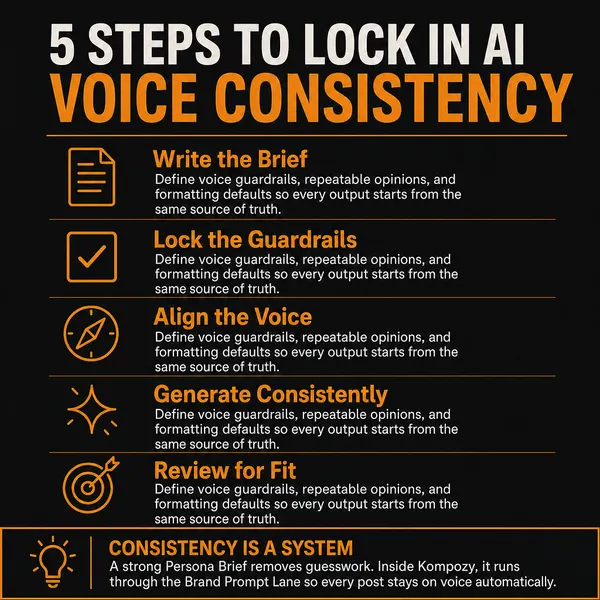
An infographic post generated in Kompozy. Once Insights shows which topic travelled, this is one format to make more of.
Who is this for, and who should skip it?
Best for:
- Newer Threads creators who want a plain-language read on what worked
- Accounts trying to grow, who can now see how much reach came from non-followers
- Creators planning when to post, using the best days and times panel
Not ideal for:
- Anyone whose main goal on Threads is clicks to a site or store, since link clicks are no longer reported
- Teams that need raw data exports rather than AI summaries
- People expecting Kompozy to replace the missing metric. It is a generation and publishing engine, not an analytics tool
Frequently asked questions
What changed in Threads analytics in September 2026?
On September 8, 2026, Threads redesigned its profile-analytics (Insights) display. It added Meta AI-generated summaries for individual posts and for your account, a breakdown of reach from followers versus non-followers, data on which in-app communities drove a post, audience demographics, and peak posting times and days. Each per-post metric is now labeled higher, lower, or typical against your recent posts. The main removal was link-click tracking, which Meta said it is "exploring" rather than explaining.
Did Threads remove link clicks from analytics?
Yes. The redesigned Insights display no longer shows the link-click metric Threads previously surfaced. A Meta spokesperson said the company is "exploring" the feature without giving a reason for the removal. If driving off-platform traffic is your goal on Threads, you will need to measure clicks with your own link tracking or destination analytics, because the native panel no longer reports them.
What is the follower-versus-non-follower metric on Threads?
It shows what share of a post's reach came from your existing followers versus people who do not follow you (in-stream discovery). A high non-follower share means the algorithm pushed you to new audiences, which is the signal that a topic can grow your account rather than just engage the people already there — useful for deciding what to make more of.
How do I act on the new Threads Insights?
Read each post against your baseline: if it over-performed on non-follower reach and a specific community carried it, that angle and time slot are your next brief. Produce more of that idea in several formats and publish it — including at the peak times the panel now shows. A content engine like Kompozy turns one proven post into a batch of formats and schedules them across the eight social platforms plus blog and email so a topic Threads just validated travels further.
How do we know this?
We checked every figure, date and quote on this page against the sources listed below on 2026-10-23, and removed or rewrote anything we could not confirm. The Connor Hayes quote comes from Social Media Today. The example AI summaries, the higher, lower or typical labels and the Meta spokesperson's comment on link clicks come from Engadget's hands-on report. Kompozy product details come from kompozy.io.
Sources
- Social Media Today — Threads updates profile analytics display (read 2026-10-23)
- Engadget — Threads is overhauling its in-app analytics with more details, except for link clicks (read 2026-10-23)
- Kompozy — Pricing and plans (read 2026-10-23)
Related news
- Threads Is Building Recognition Awards That Give High-Performing Posts a Virtual Gem
- Threads Users Can Now Chat With Meta AI in Their DMs — Private, In-App, and Rolling Out Globally
- Threads Adds Co-Hosts to Live Chats and Opens Hosting to Community Champions
- Hootsuite's June 2026 Updates Add Cross-Network Analytics, Approver Filtering, and Threads Keyword Listening